Grove: A P2P Code Forge in a Browser Tab
Meet Grove, a Radicle node and code forge that runs entirely in a browser tab. Nothing to install, no account. Here is what works today and how you can play with it yourself.
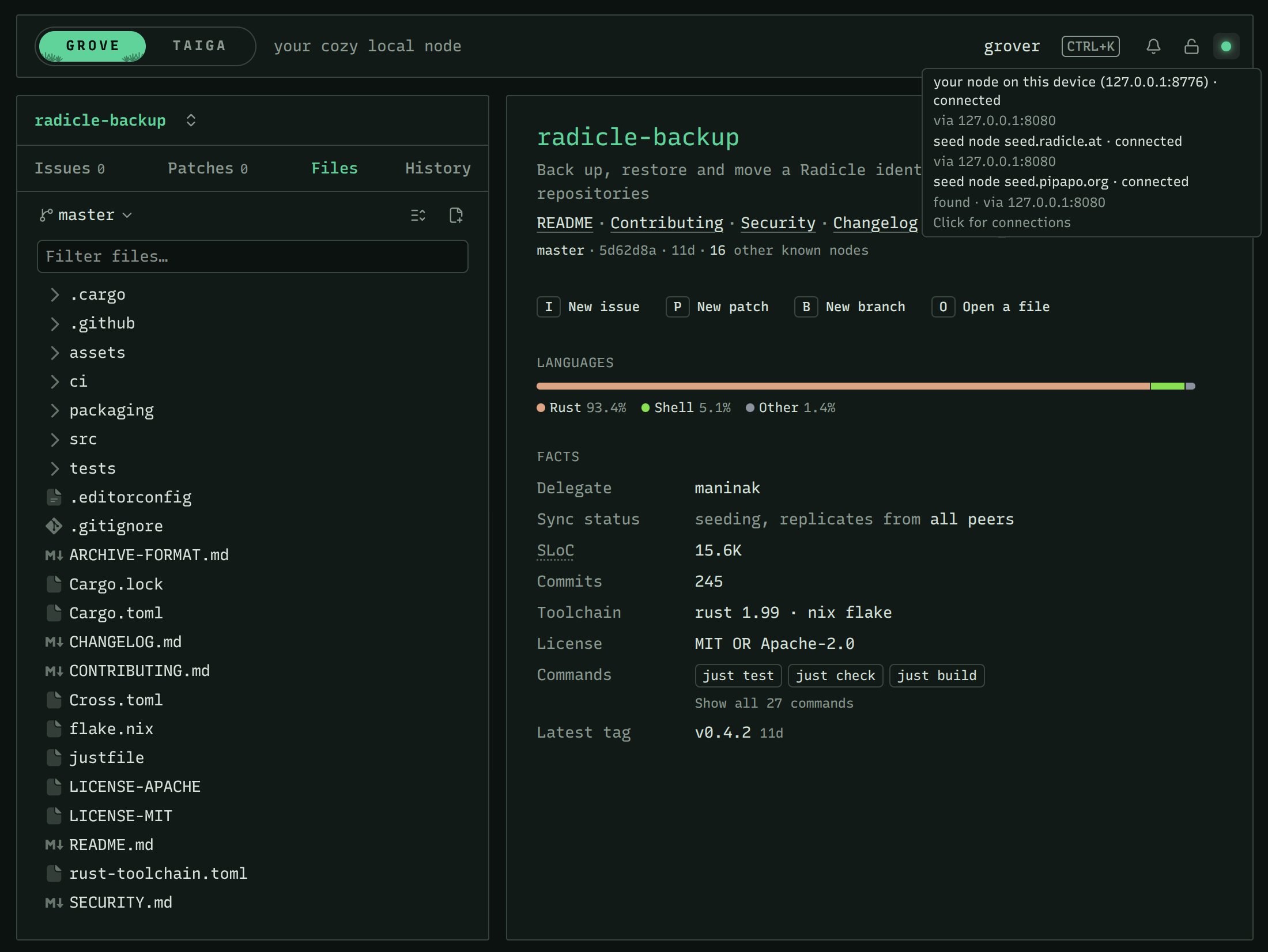
Grove 🏡 is a P2P GitHub alternative with the whole backend in your browser’s tab. It may very well be the first P2P code forge running entirely in the browser (standing on the giant shoulders of heartwood, of course). I’ve been building it for a good while now.
Join the early-access at radicle.tools/grove.
Radicle is a FOSS network that offers git-native code collaboration with no central server and no accounts. Nodes replicate whichever repositories they choose to seed. Some nodes, called permissive seed nodes or just “seeds”, stay online around the clock and host copies of repos, so once your changes reach a seed, they stay reachable while your own node is offline. Issues, patches (Radicle’s pull requests) and code reviews are stored in git too, so they travel with the repo. Your identity is a cryptographic key that you hold, and everything you publish is signed with it.
Grove brings a new Radicle node, designed and built for the web. It’s a faithful reimplementation of heartwood (Radicle’s reference node, written in Rust) in TypeScript and a sprinkle of Rust, with the whole backend (storage, networking, crypto, git, …) running inside your browser’s tab. Grove squeezes everything out of what a modern browser can do, including but not limited to WebWorkers, SharedWorkers, Service Workers, WebLocks, Wasm, WebRTC, OPFS, IndexedDB + my axe. It comes as a Progressive Web App (PWA) designed with thoughtful UX, fine-tuned performance, and high regard for your privacy and security.
Grove gives you the ability to connect to Radicle wherever you are, from any modern browser. With Grove, all you need to create your first issue and contribute to a repo is a browser. There’s nothing to download, nothing to install, no emails and passwords (unless you choose to, and you can do that later too). Whenever you want, export the identity you created in Grove and import it on your device for heartwood, or… the other way around (powered by radicle-backup).
What works today
- Issues, patches and reviews, full-featured, with code-inline comments, plus in-depth info and analysis of commit history, branches, tags, etc yada yada.
- Connect to other heartwood peers and seed nodes (through a dumb WebSocket-to-TCP relay) and, at the same time, to other Grove users with a direct browser-to-browser connection, say your laptop and your phone (yes, even across local networks and behind NAT).
- Clone a repo, then actually make commits, create branches, open patches for them, publish them and, when ready, merge them too, all in Grove, on the web. Every write is signed in your tab, and your key stays on your device, encrypted in your browser at rest. No server ever holds it or signs for you. Try that, GitHub!
- Offline. Pull the cable and keep triaging issues, committing, reviewing, merging and it all automatically goes out to your peers once you’re reconnected. Offline or on a flaky connection, you always see which specific changes made it out and which are still only on your device.
- Open as many tabs as you like, the web way. An issue in one, a patch in another, a new issue you’re drafting in a third. Every tab talks to the same node in the background, so everything stays in sync across tabs, live, from your drafts and reviews to whatever just arrived from the network. No refresh buttons.
- An advanced inbox and notification system to make sense of it all and not miss what you personally care about. It notifies in app and at OS level while Grove is open in a tab or installed as an app and in the future, depending on how the community embraces and supports the effort, it may also get fine-grained push and email notifications.
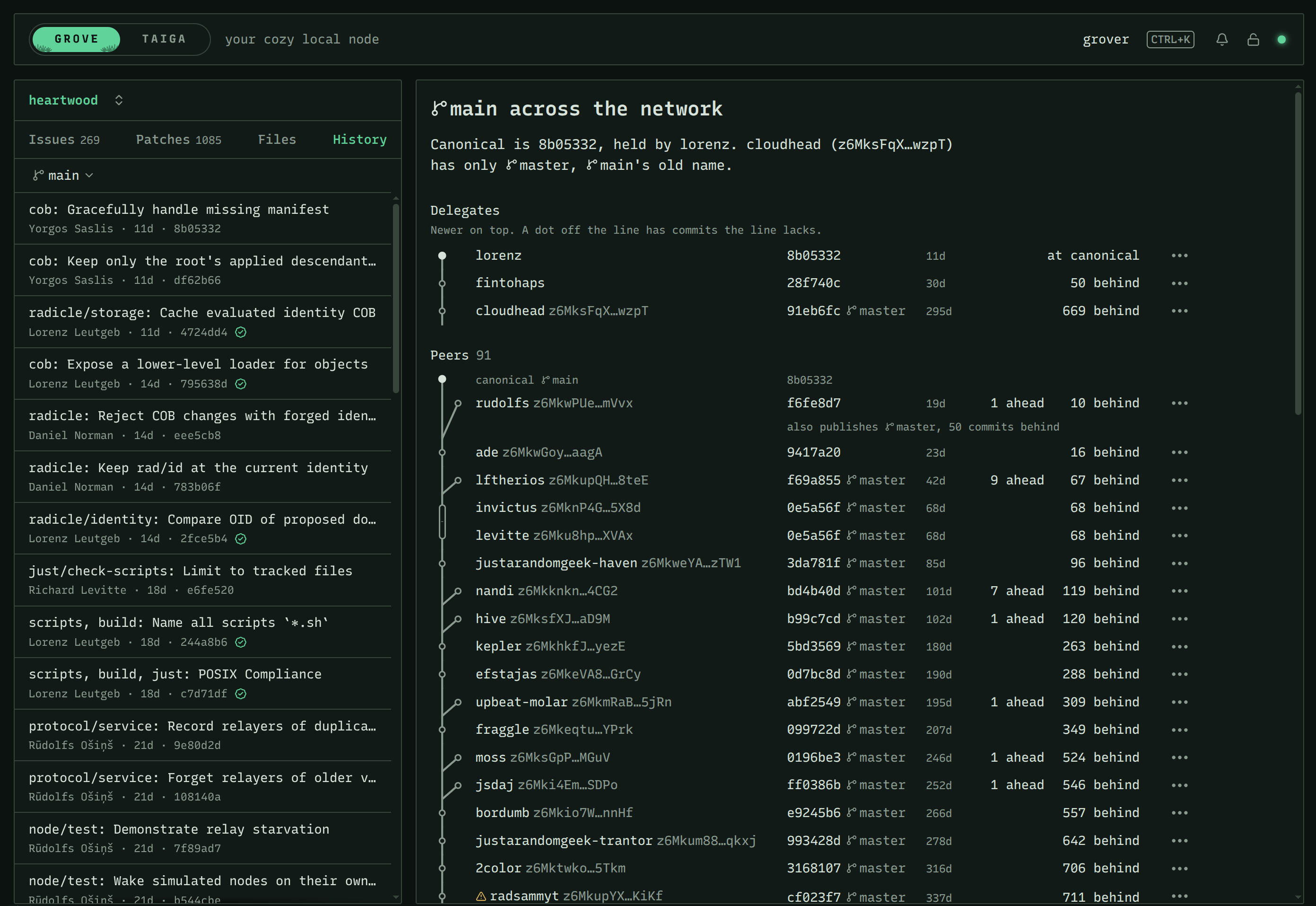
- See who is synced at which version of a branch you care about across the network, whether behind or ahead of the canonical one, especially useful when you’re one of several delegates (Radicle’s word for repo admins) of a repo.
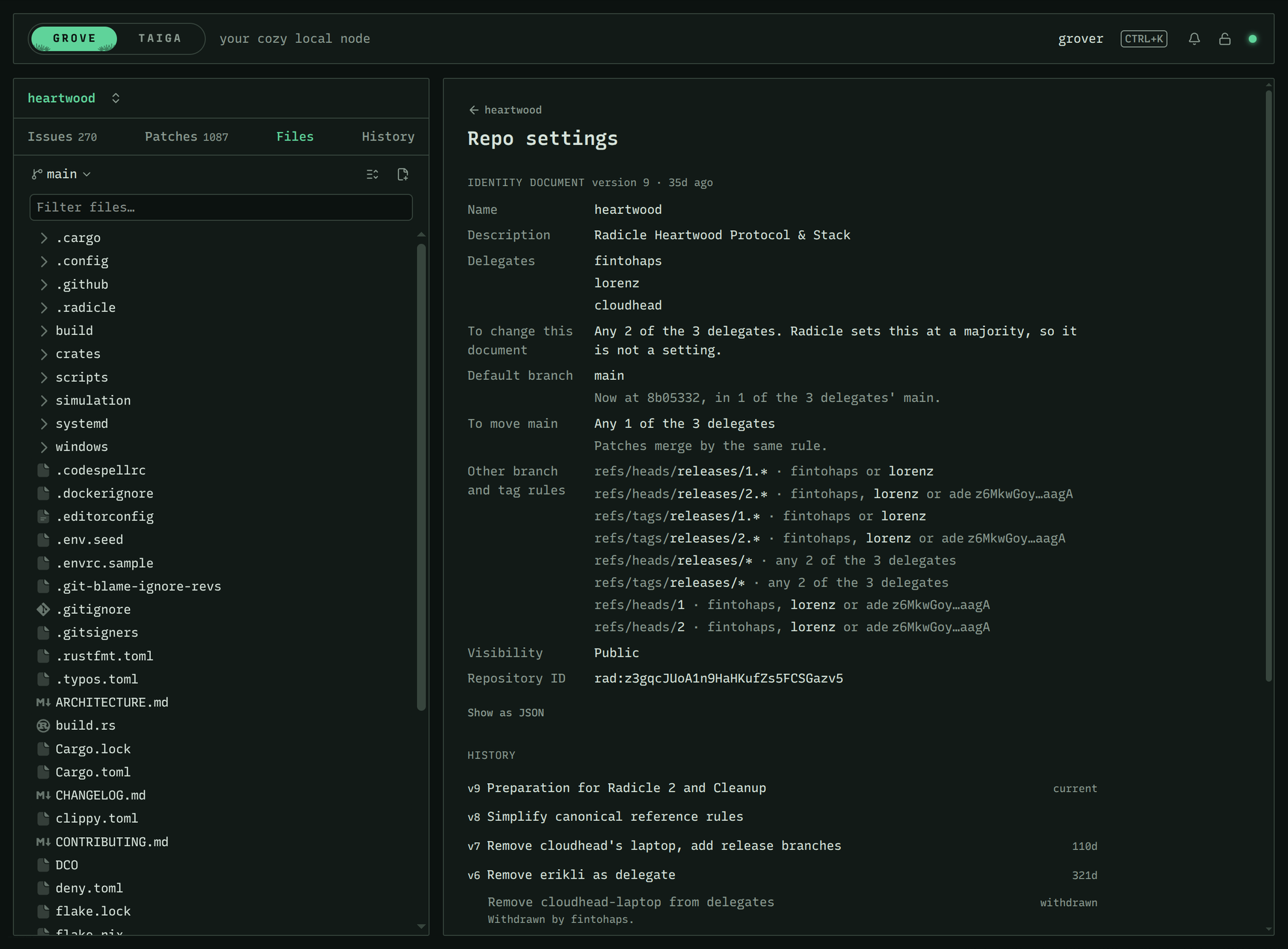
- Manage a repo together, with a full viewer and editor for the signed document that says who runs a repo and by what rules.
- Built for the keyboard, and for touch on small screens, with a powerful command palette that learns from how you use it, and a zen mode for when a colleague sends you yet another 100K-line patch.
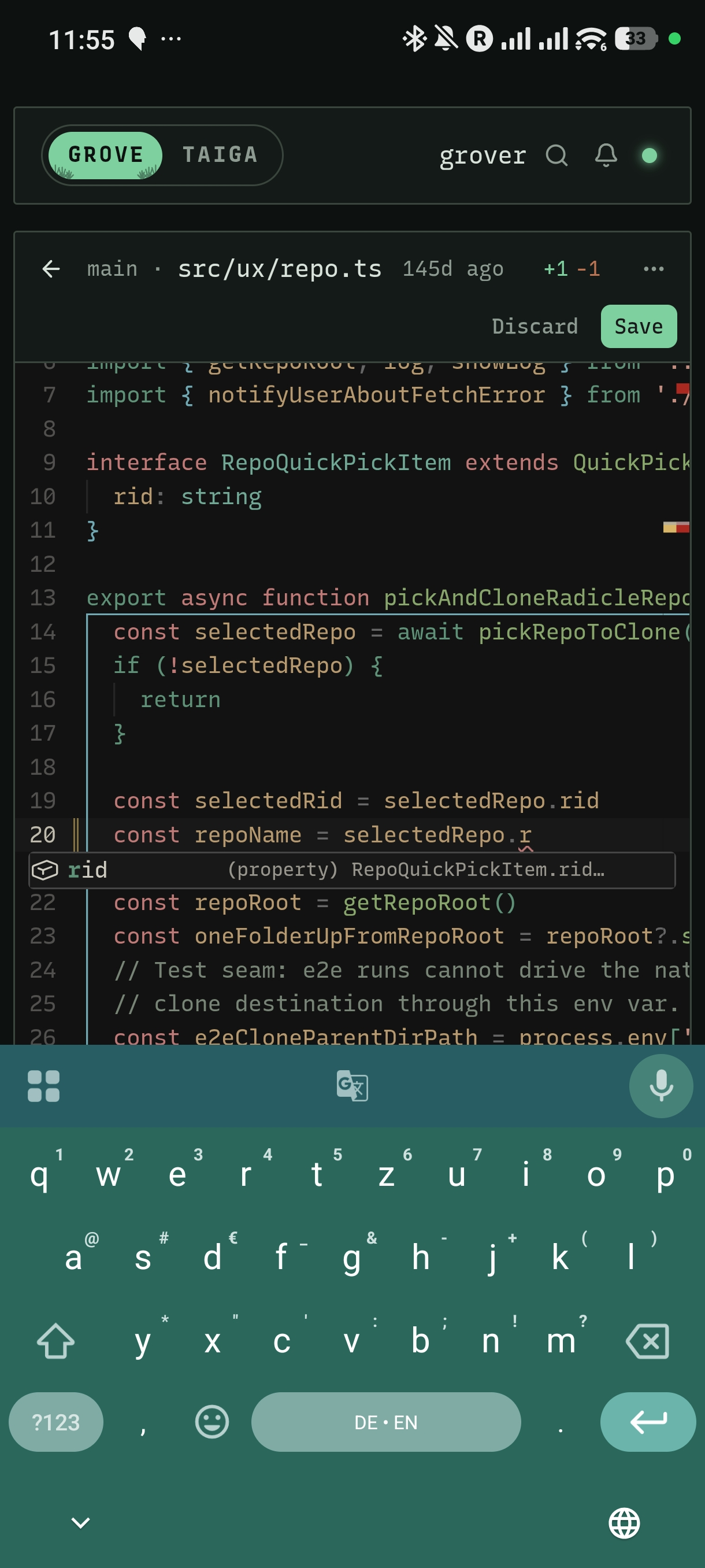
- A code editor with highlighting for most languages, plus TypeScript and Vue type checking and auto-complete (hover tooltips, red squigglies and all).
- Install it like an app on your desktop or phone. The app opens the same Grove you had in the tab, so there’s nothing to set up again.
- No analytics, no telemetry, no third-party scripts. Literally, the Content Security Policy blocks them 😌. The Connections page shows every outside connection Grove makes and lets you switch it off (or point it elsewhere), and “strict mode” turns off everything that reaches out on its own, effectively air-gapping it.
Manage a repo together
Who runs a repo and by what rules (its delegates, how many of them must agree, which branches and tags count as canonical, who may see it while it’s private) is itself a signed document in the repo, with its history, and Grove gives it a full viewer and editor.
Propose a change, like adding a delegate or a release-branch rule, and Grove flags any rule the protocol would refuse and offers the fix, and warns you before you remove yourself or make a private repo public for good. Every proposal shows what it changes, the old value struck through beside the new, and who voted for it.
Before you sign a vote, Grove plays it out and tells you exactly what it would adopt, reject or leave waiting, down to the rival proposals it would knock out. And if the document changes under you literally while you decide, Grove signs nothing and shows you the new outcome.
A closer look
Some still images for those preferring less motion than what the videos offer. Click one to see it full size.
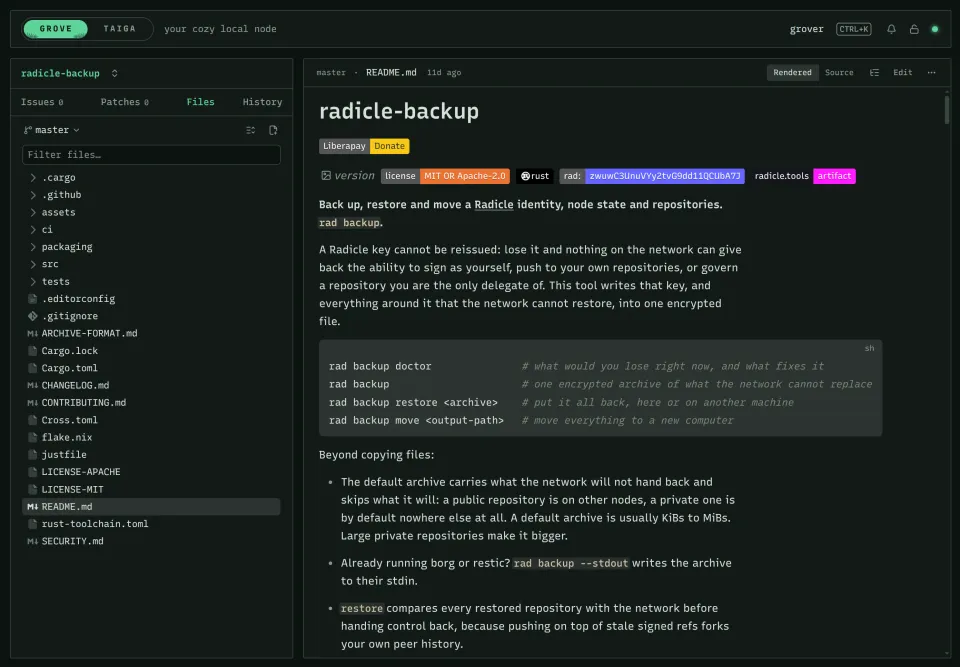
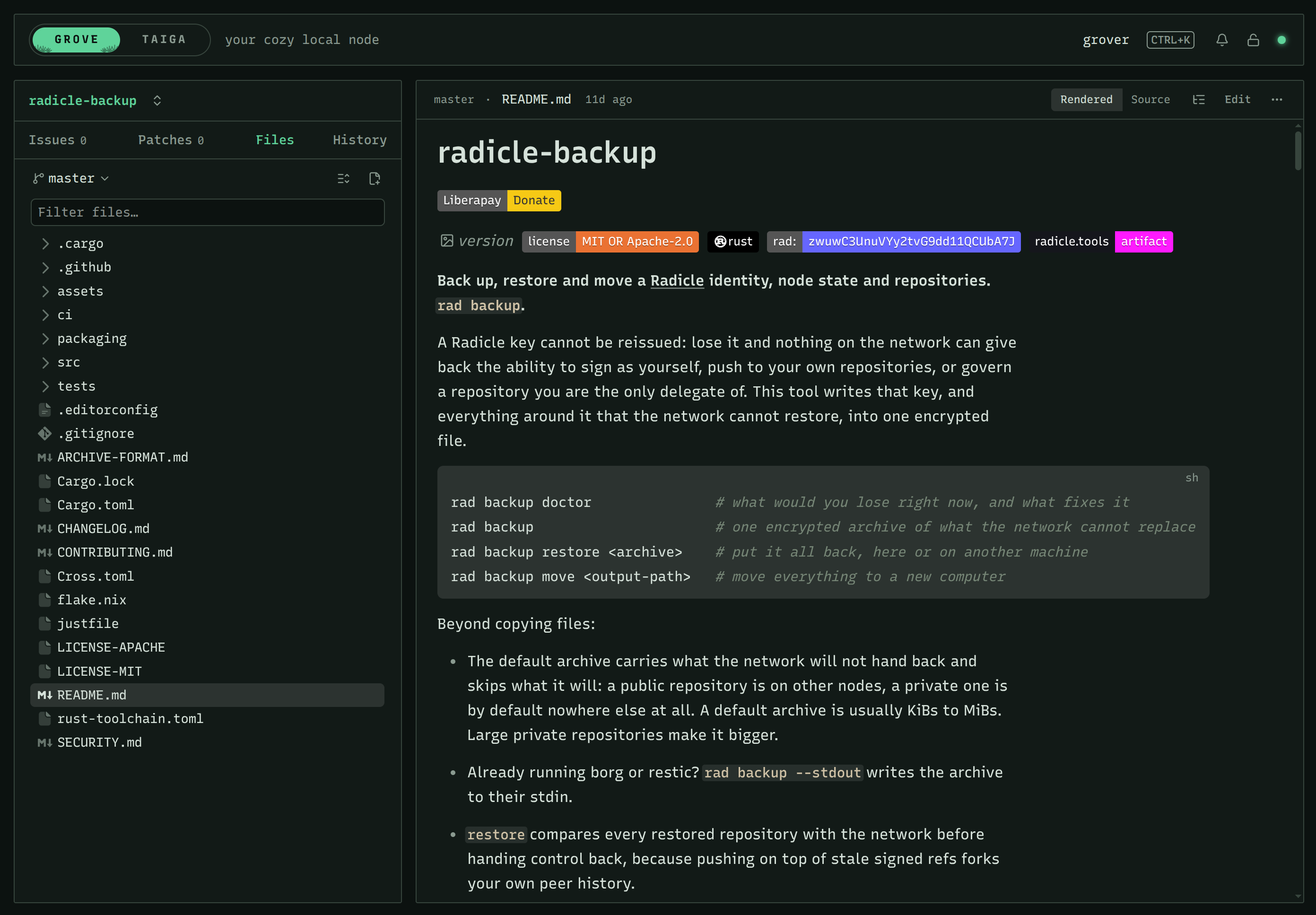
READMEs render the way their authors meant them, badges included. 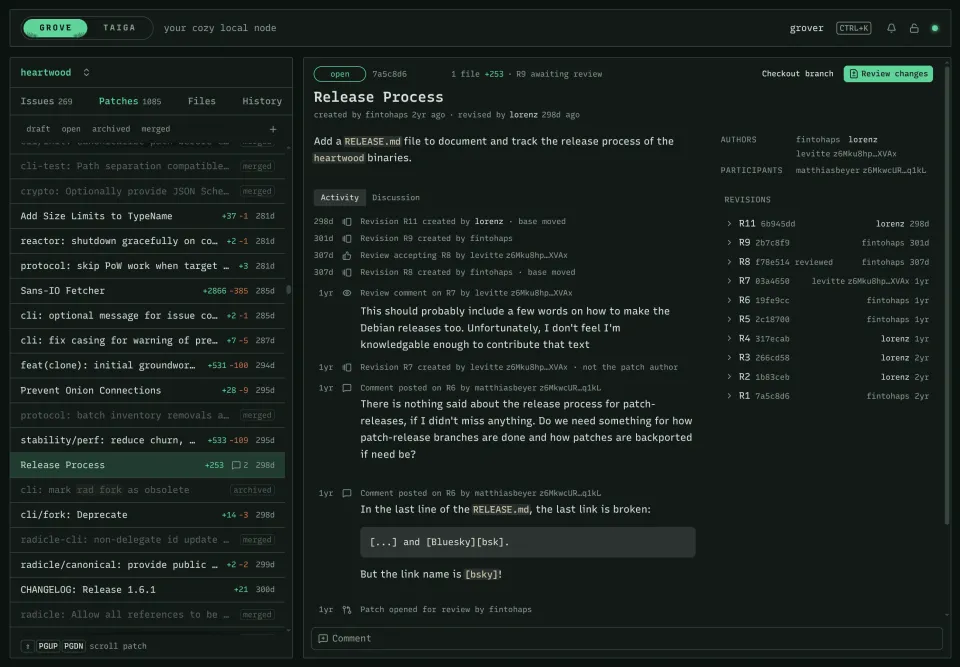
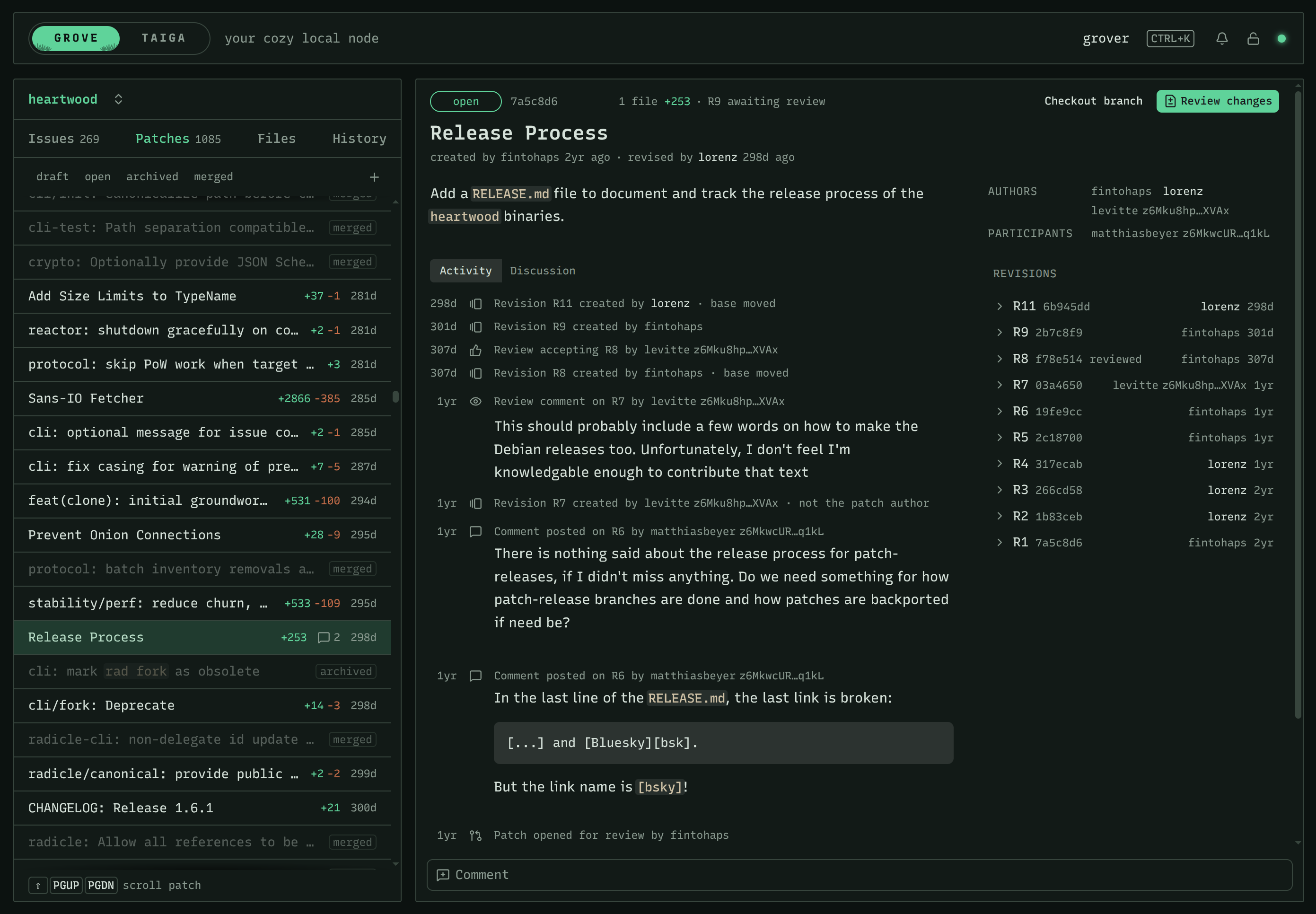
A patch with its whole life in one place, from the first revision to the latest review. 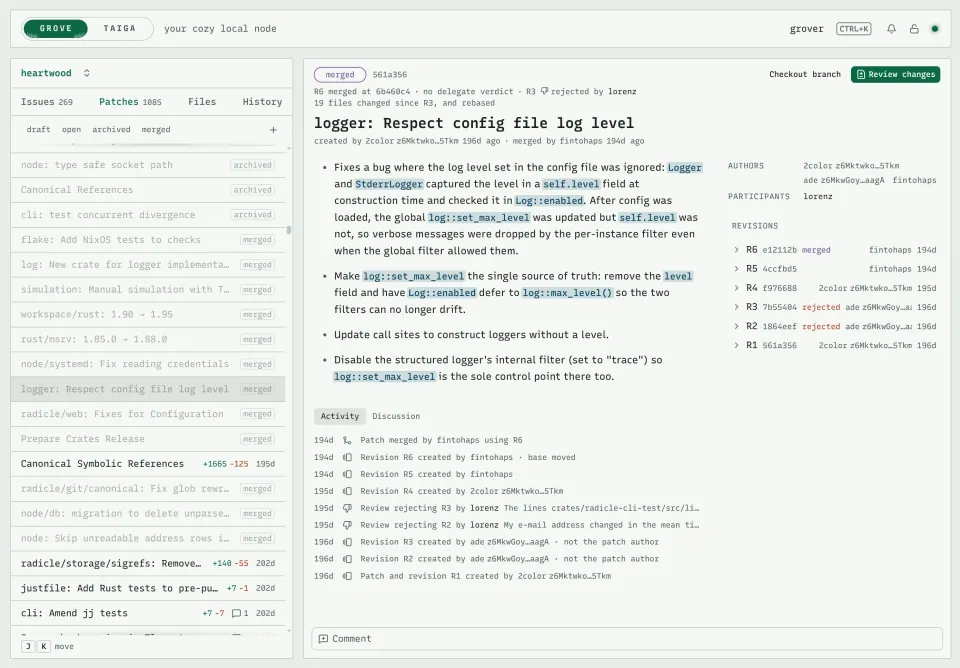
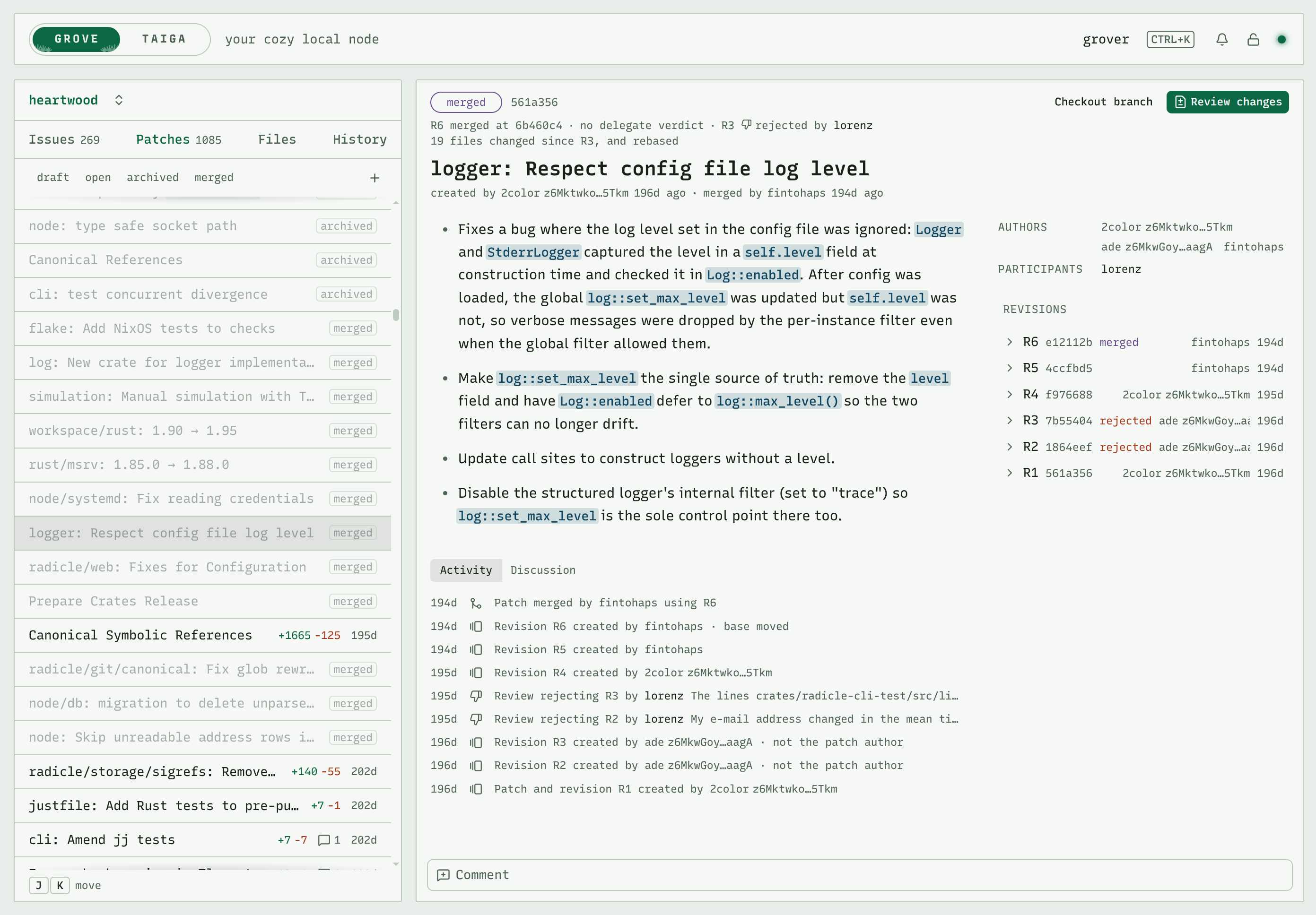
The light theme, on a merged patch with two rejected revisions. 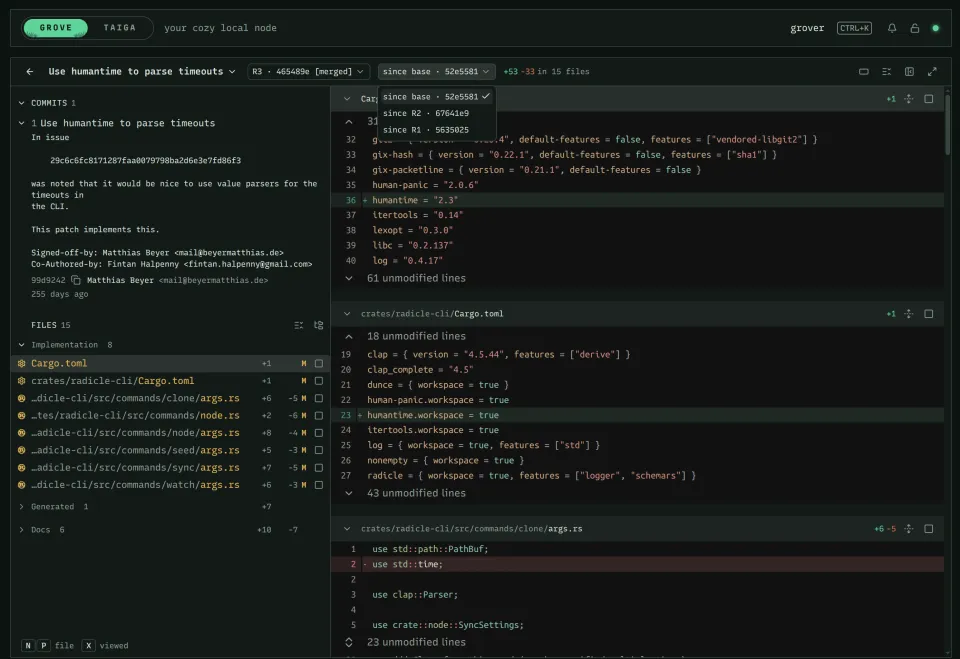
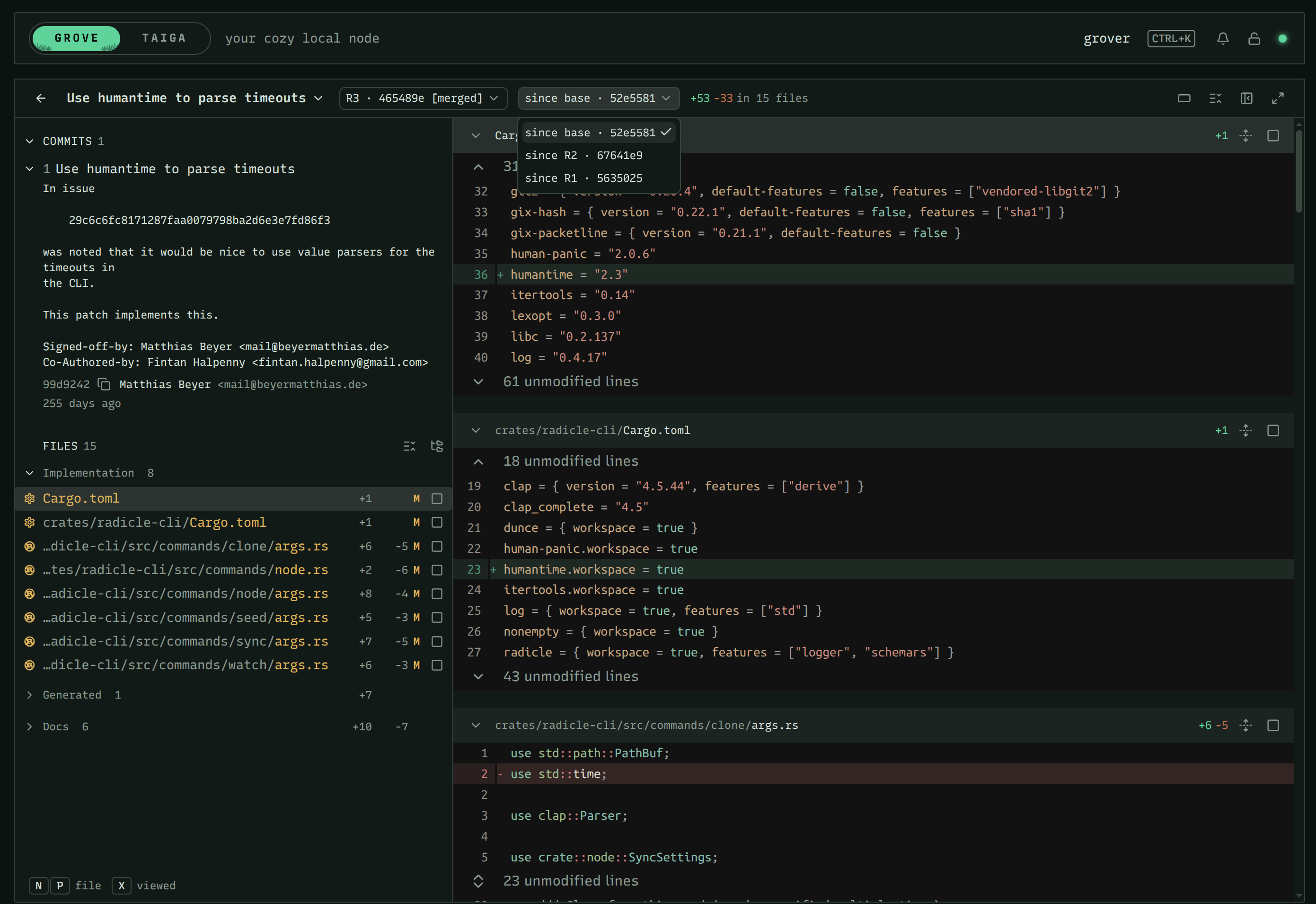
Reviewing a revision against its base, or against any earlier revision. 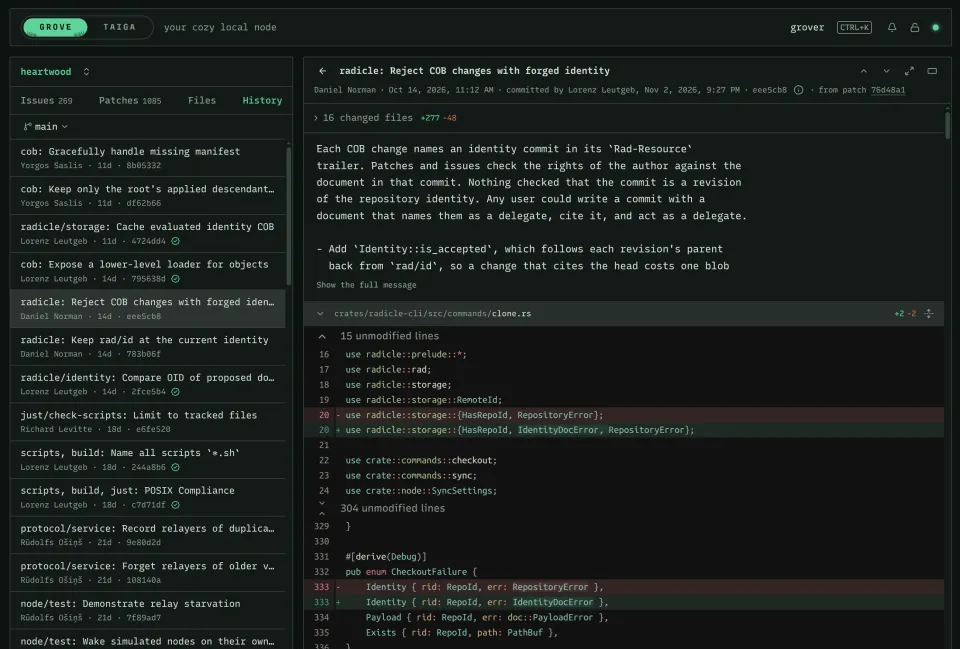
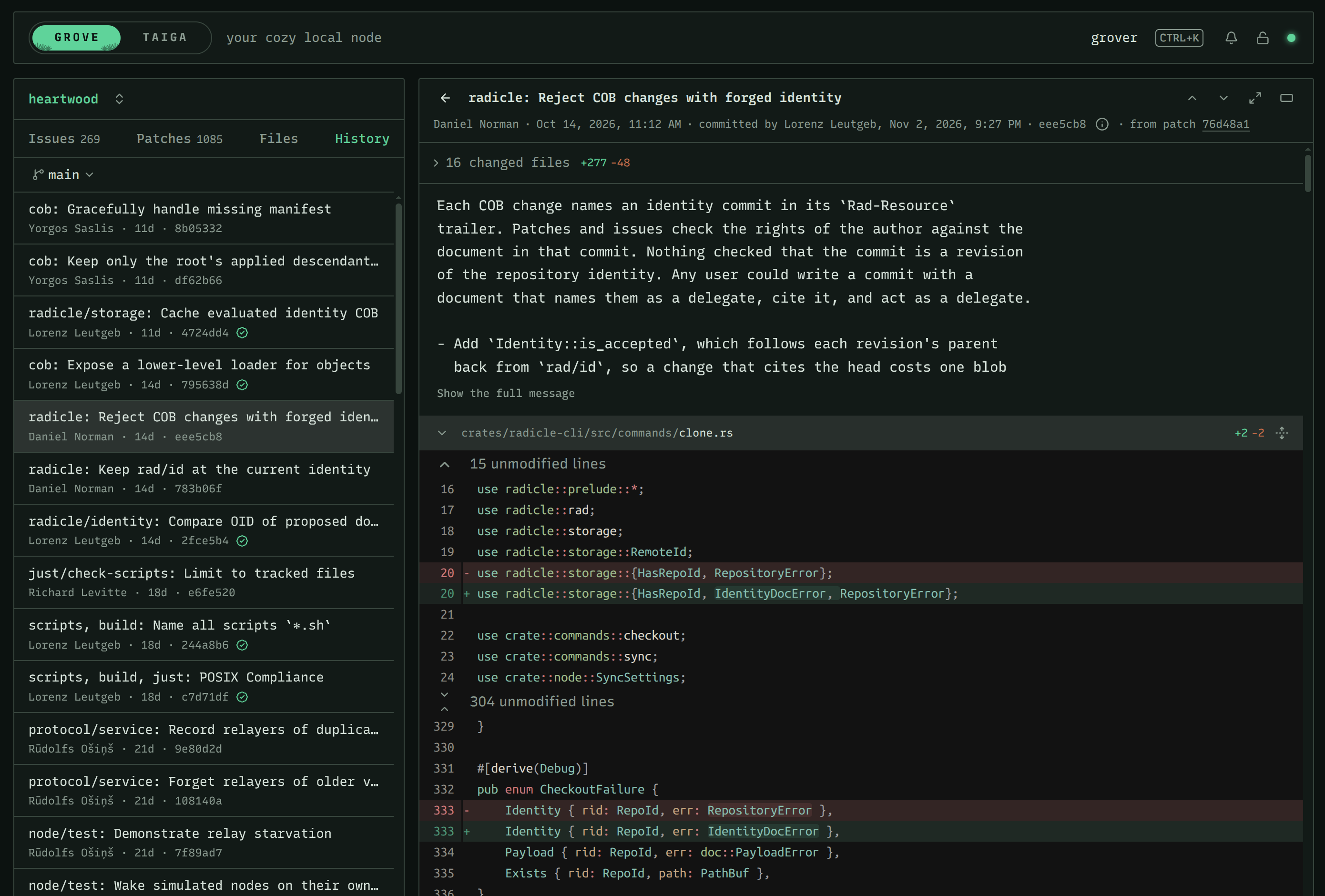
A commit knows which patch it came from. 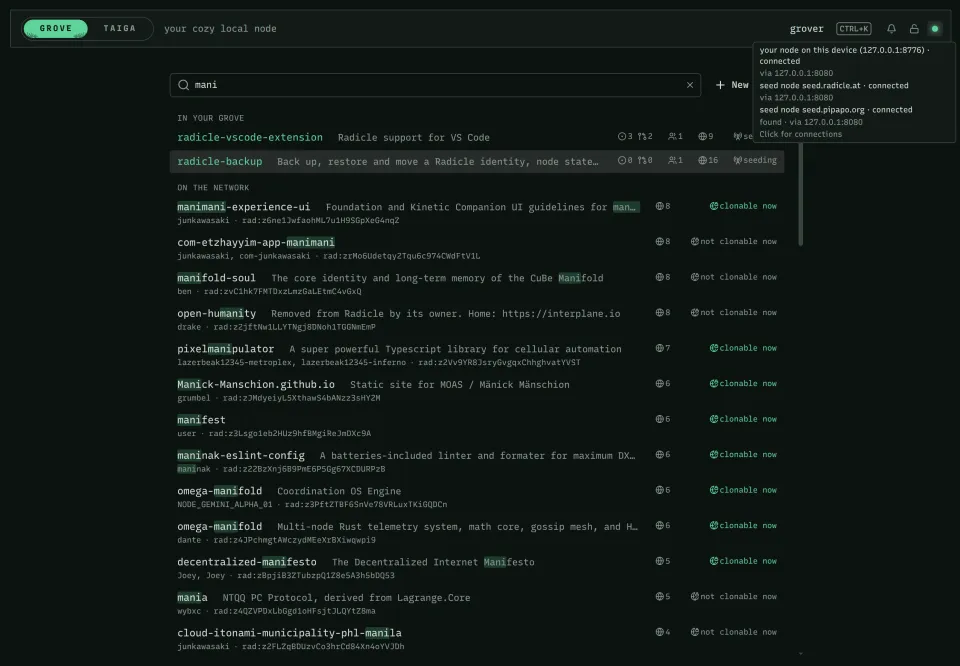
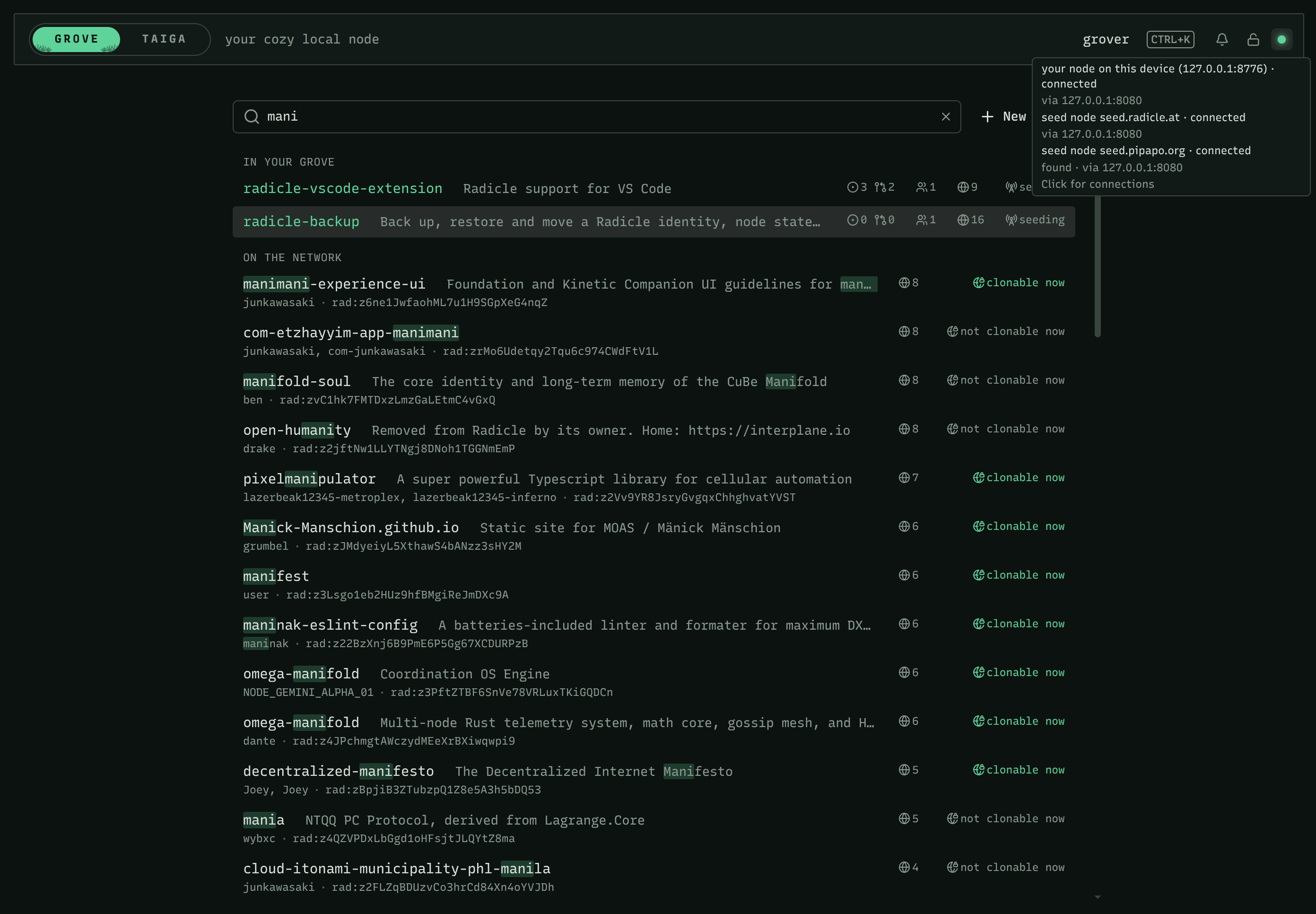
Searching the network for a repo. The ones marked clonable are a click away. 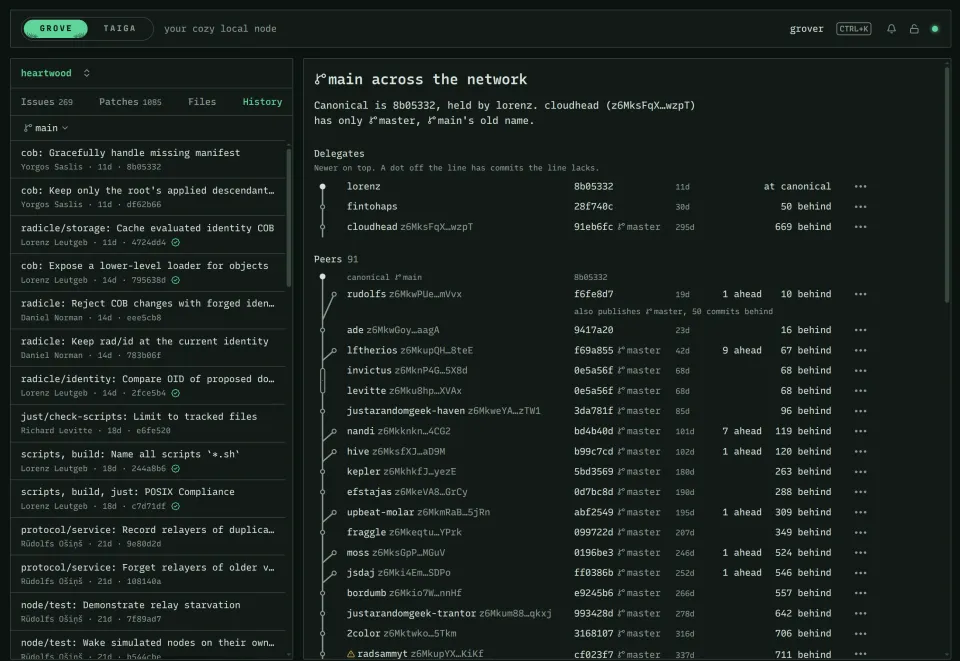
Heartwood's main branch as each of its delegates and 91 peers has it. 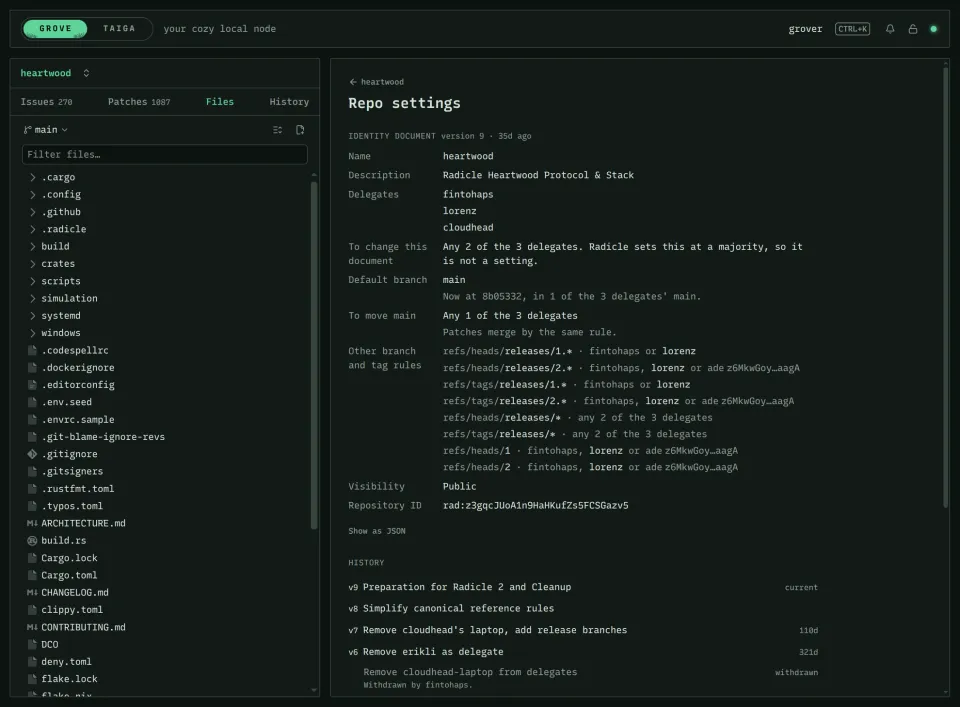
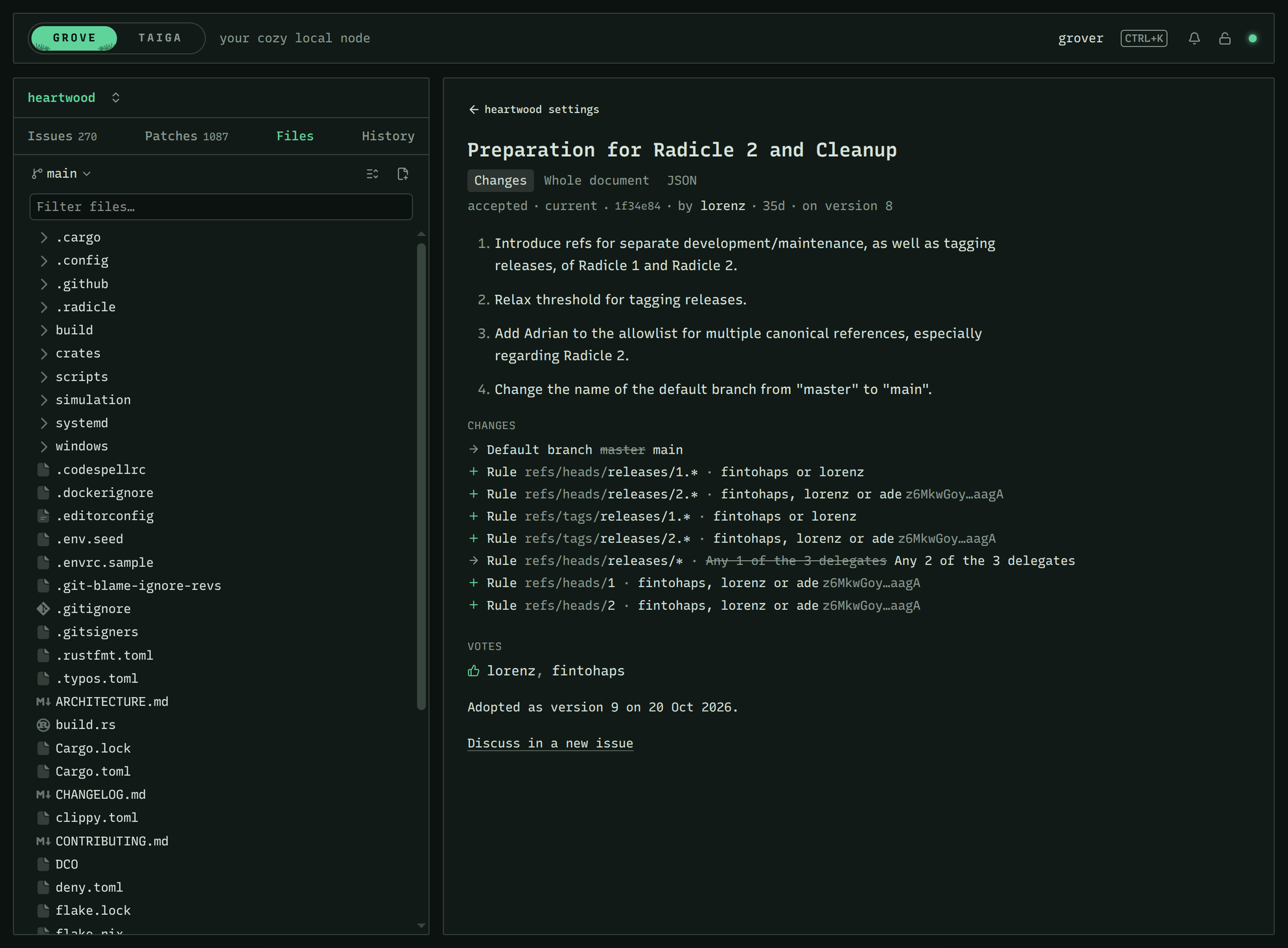
Who runs heartwood and by what rules, kept as a signed document with its full history. 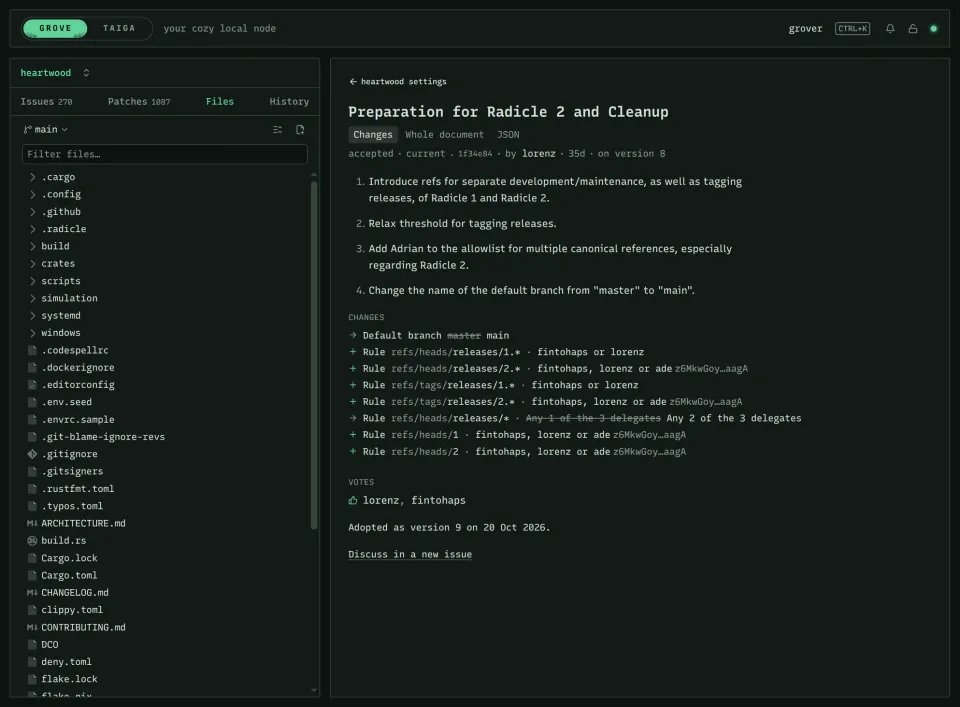
A proposal shows exactly what it changes and who voted for it. 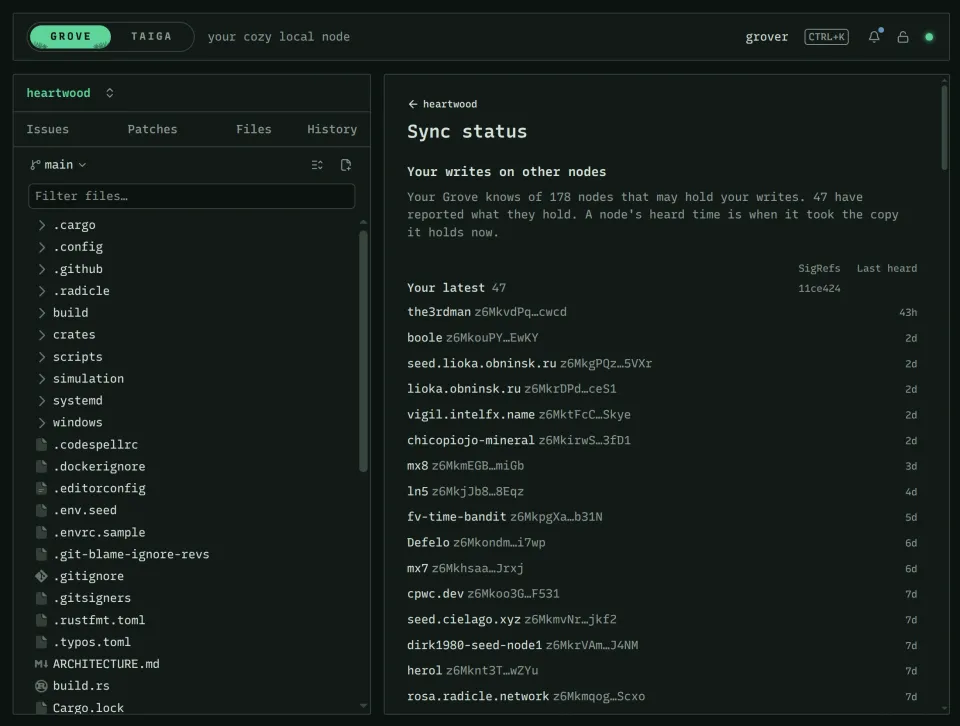
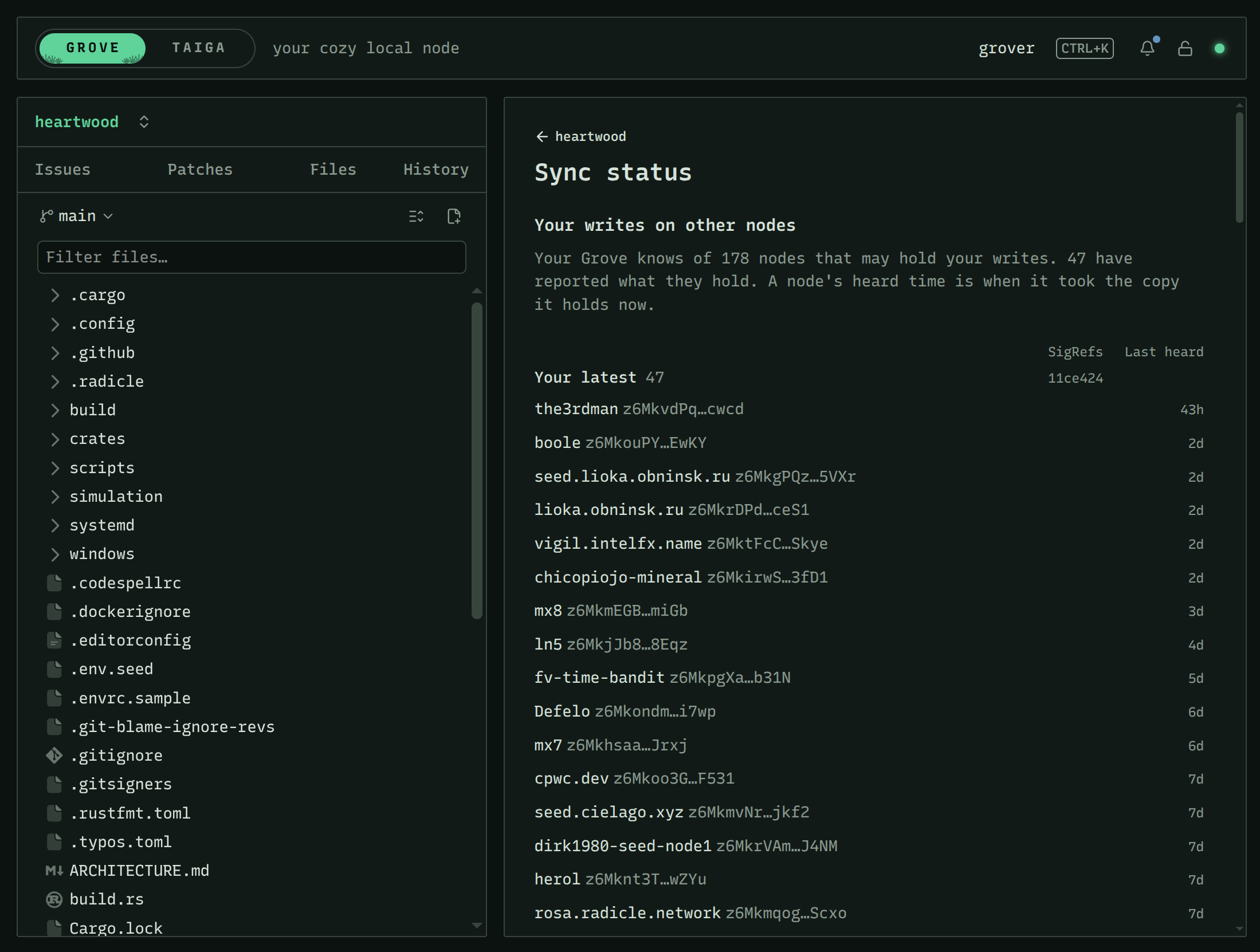
Which nodes hold your latest writes, and when each one last said so. 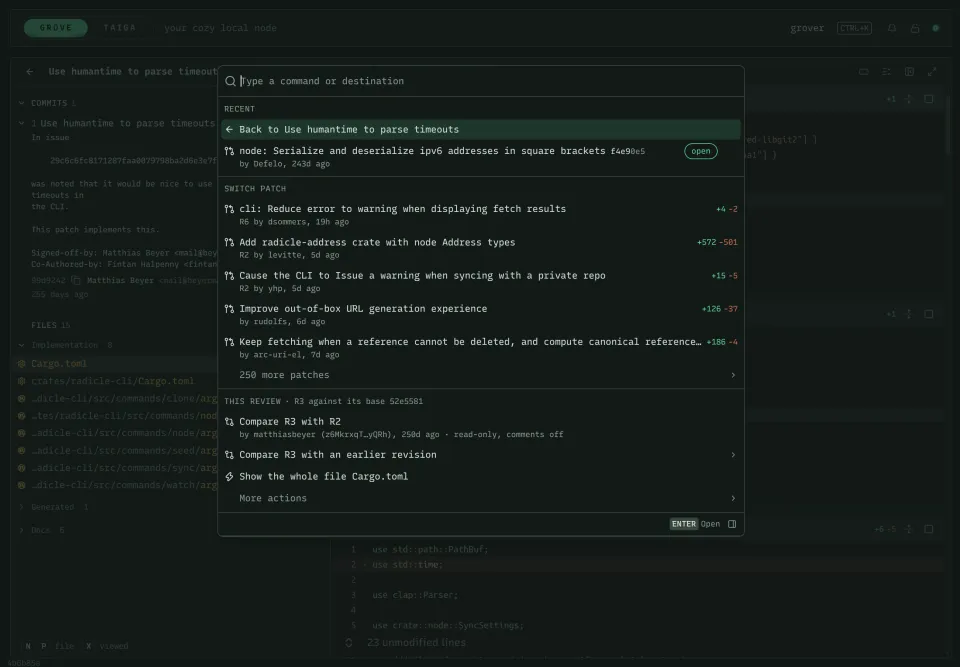
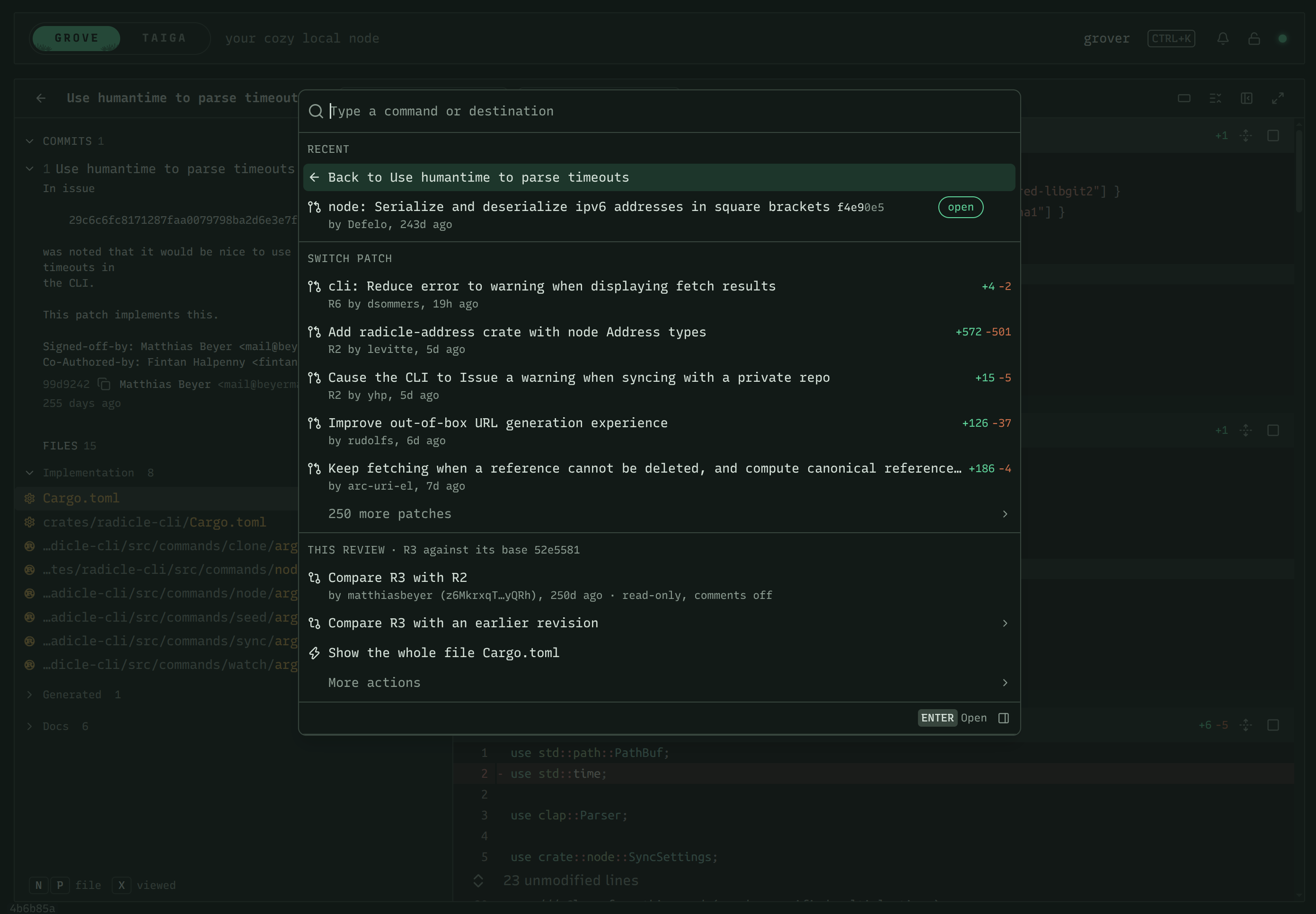
The command palette offers what makes sense where you are. 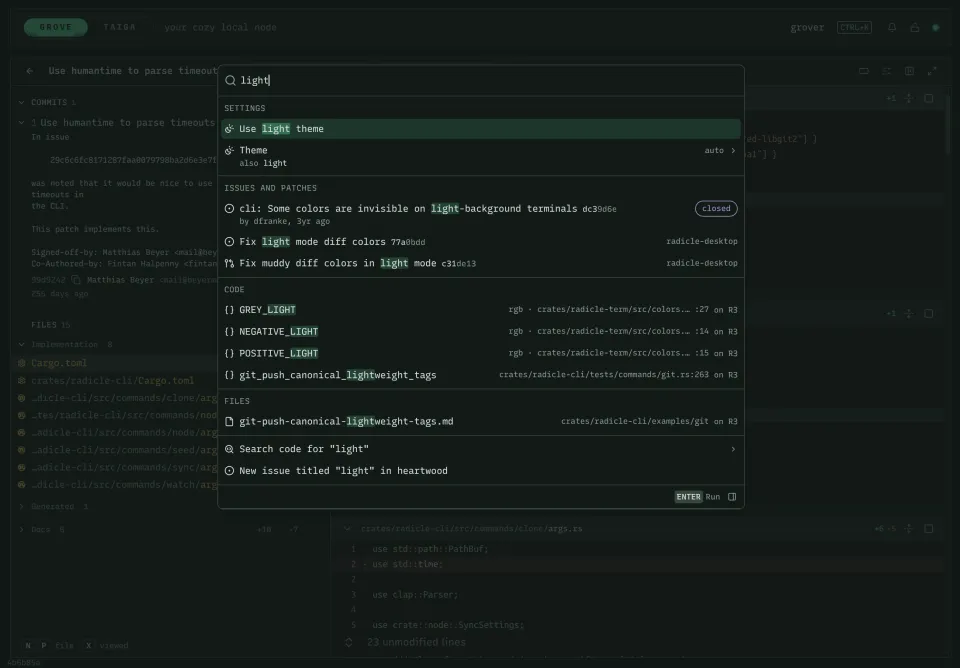
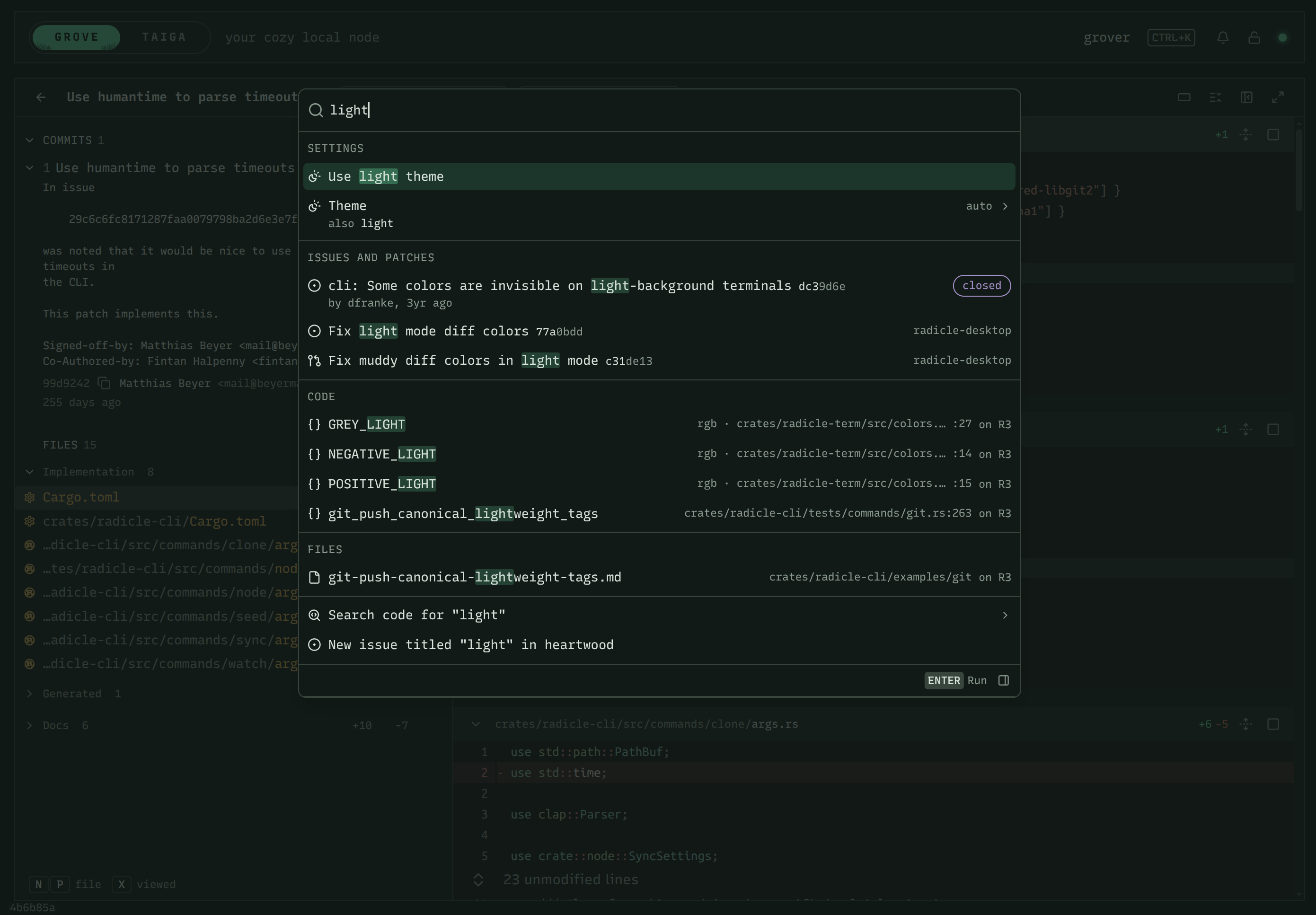
One query searches settings, issues, patches, code and files at once. 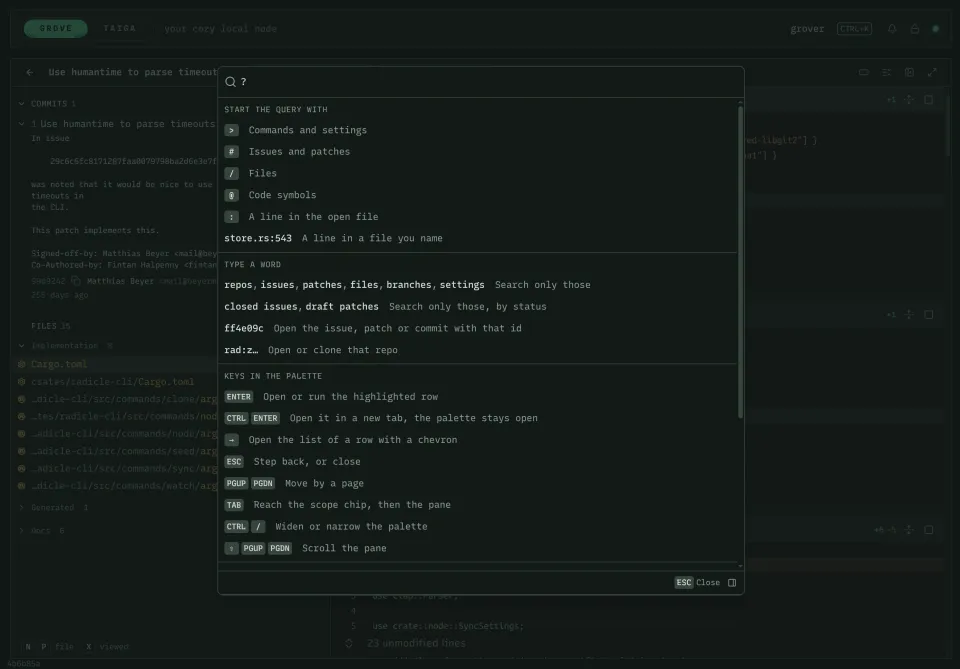
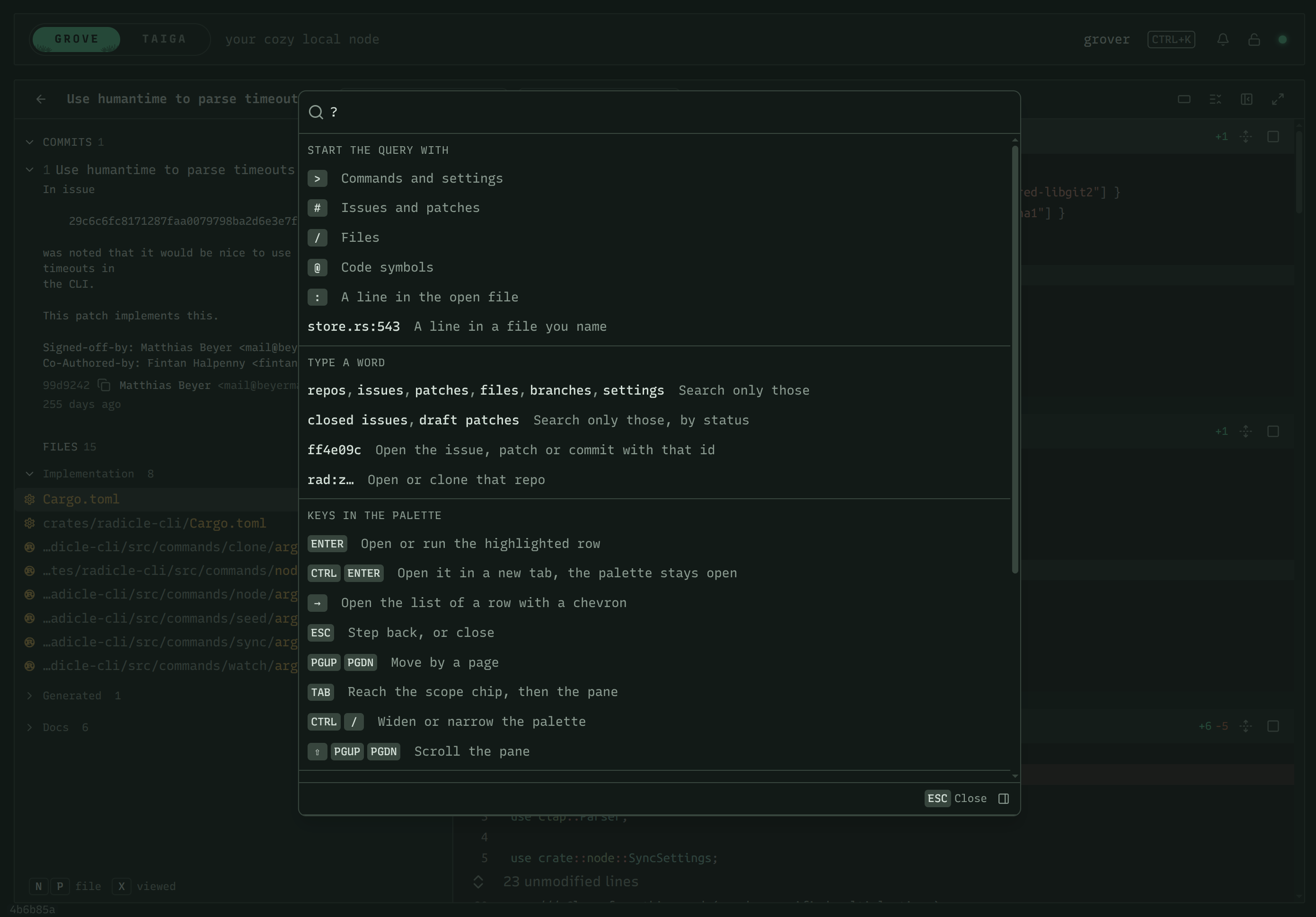
Type ? and the palette lists everything it understands. 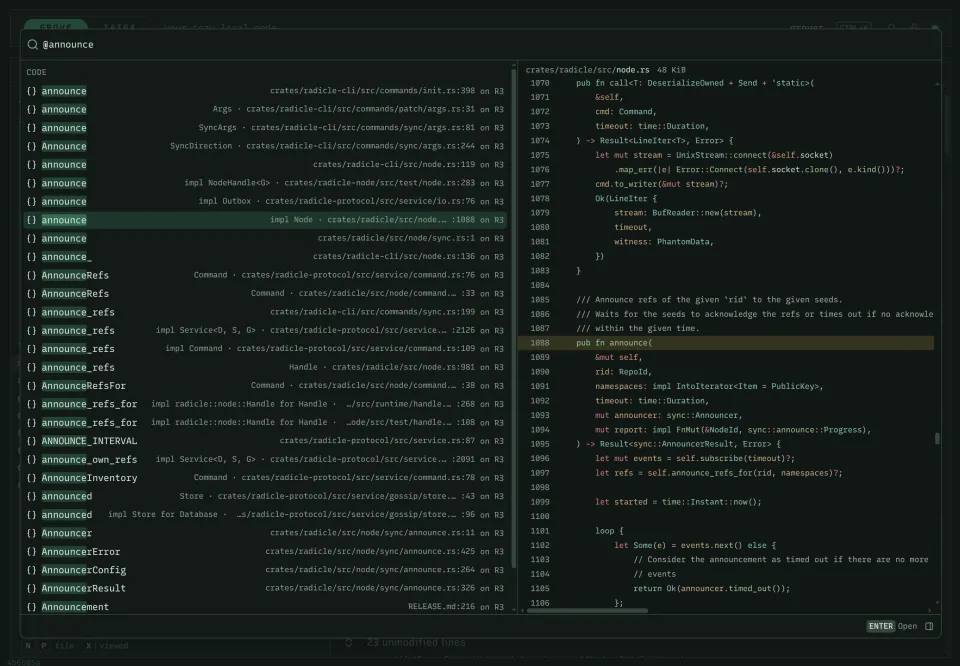
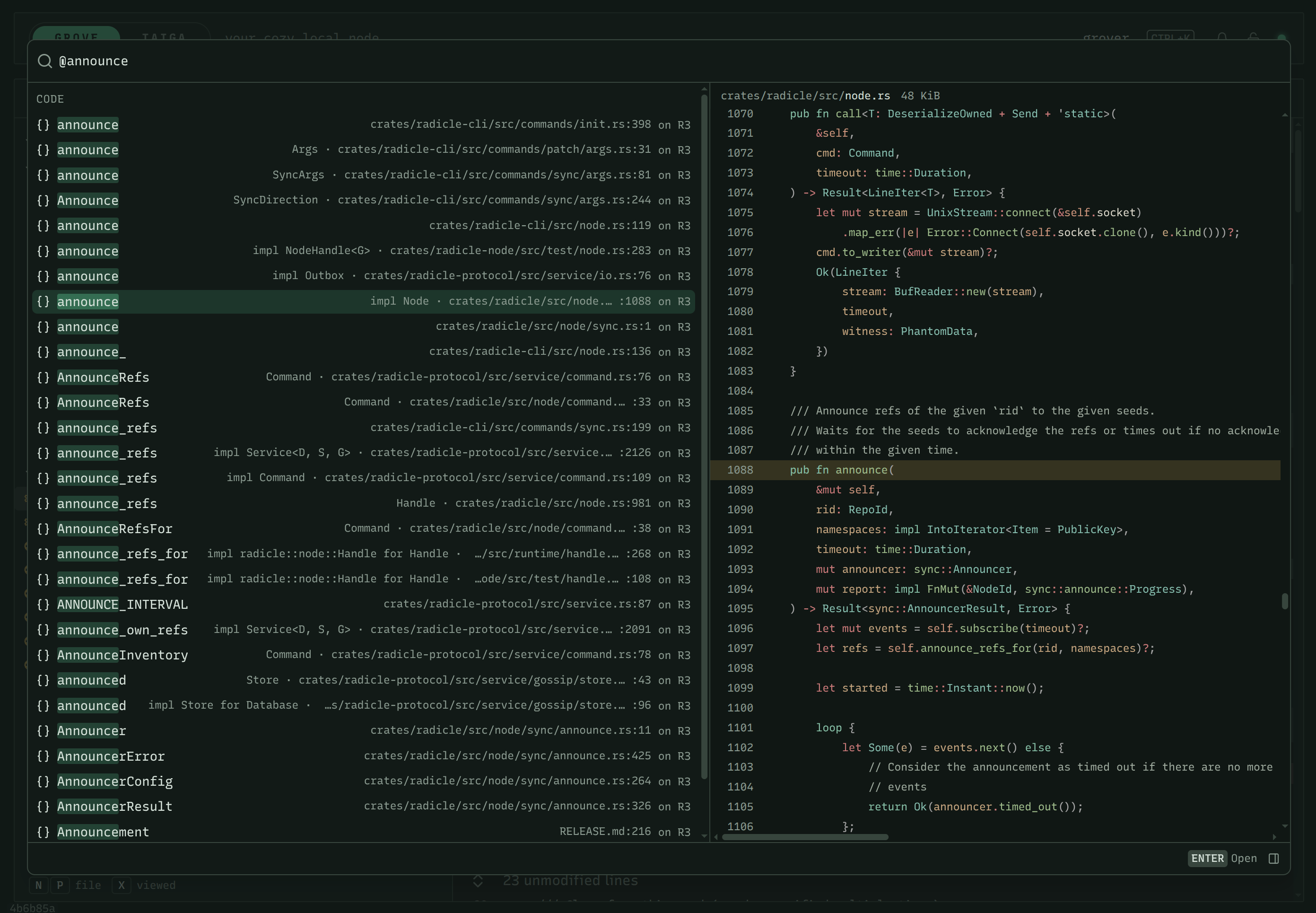
Jumping to a symbol, with the code previewed beside the results. 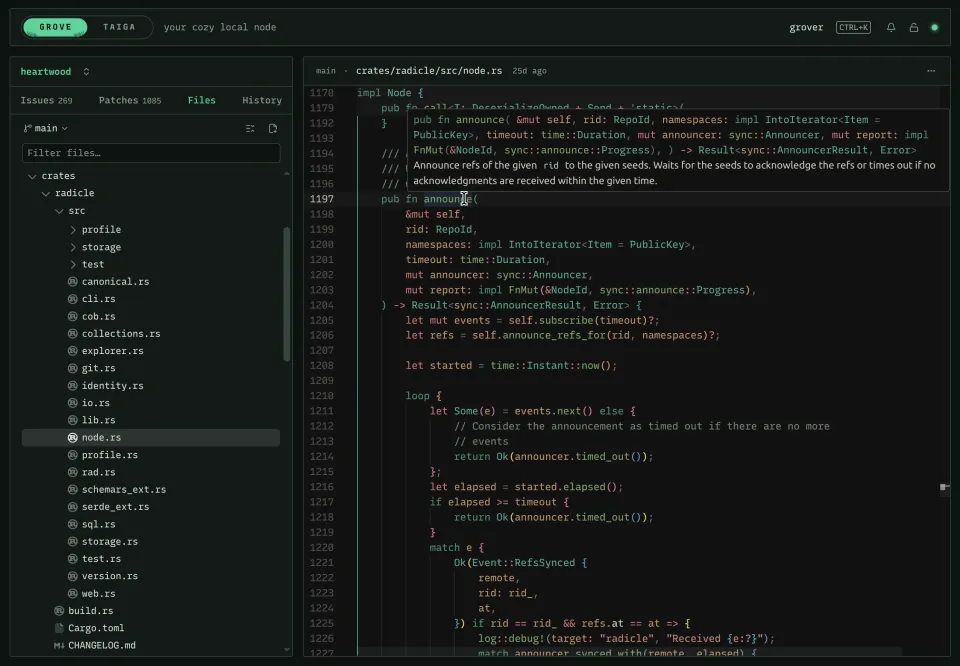
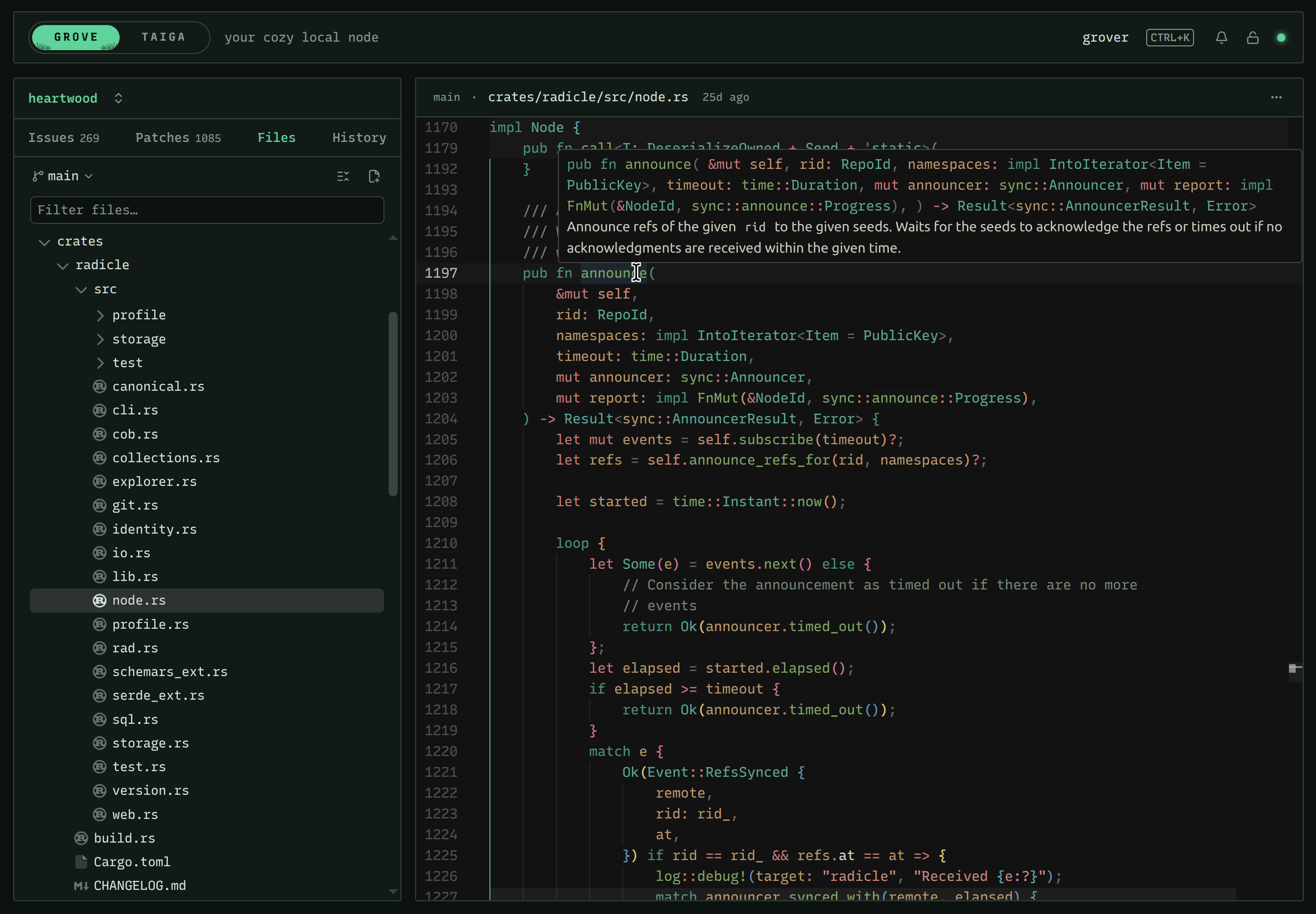
Hover docs in a Rust file. 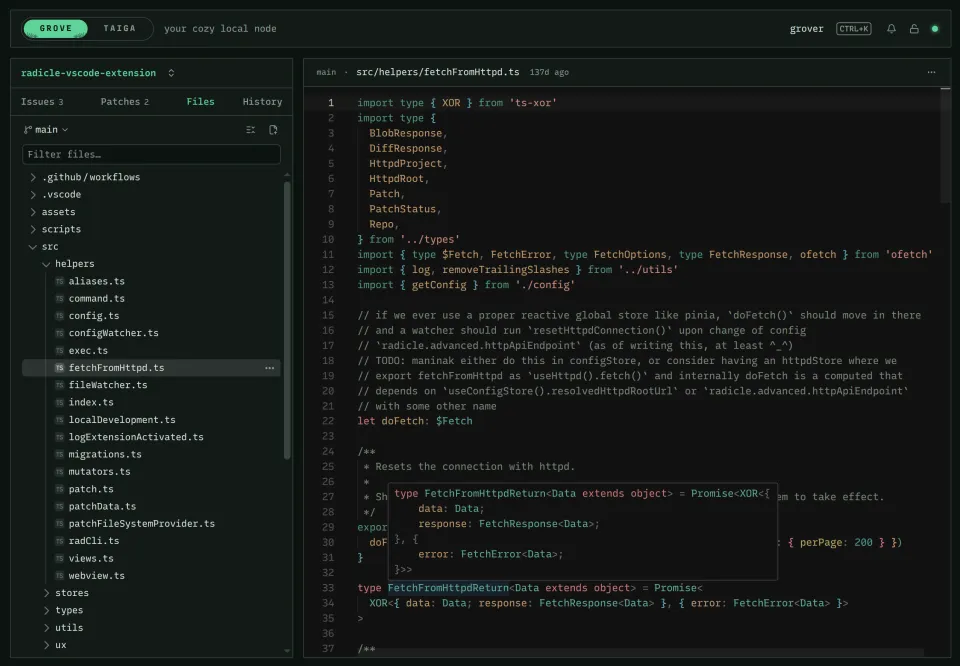
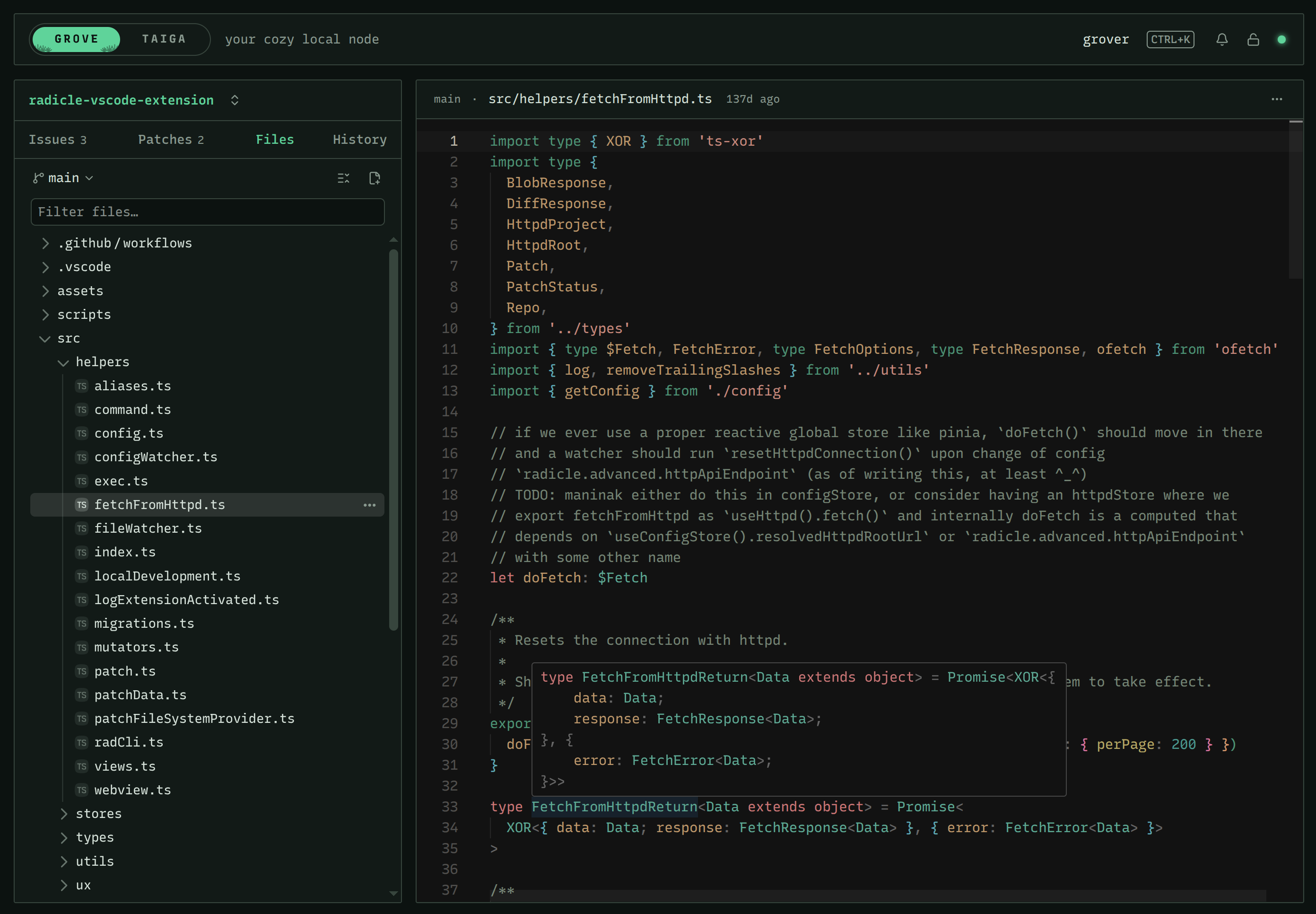
TypeScript, with its types resolved on hover. 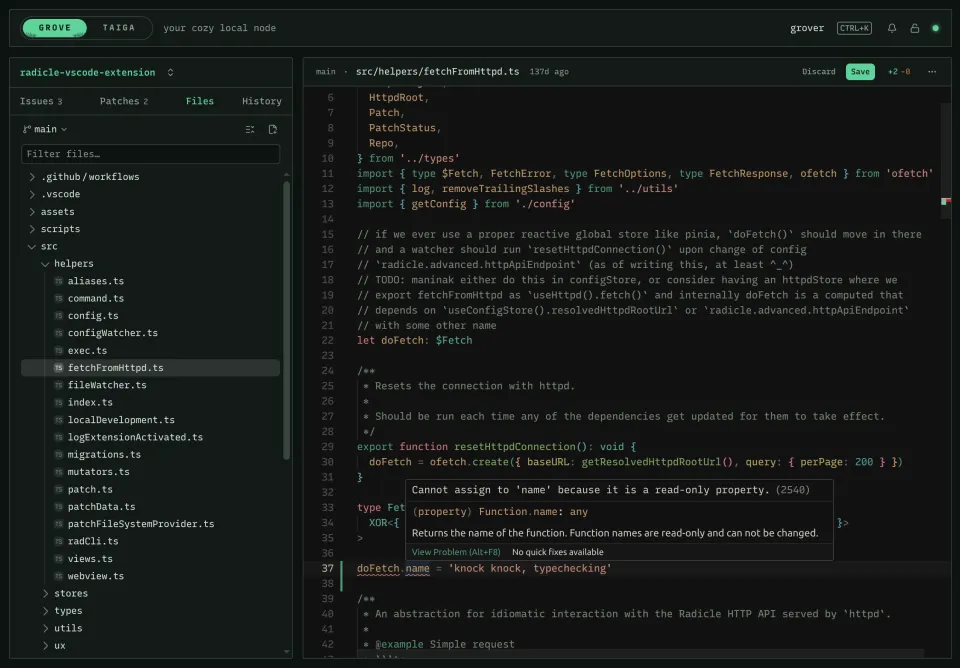
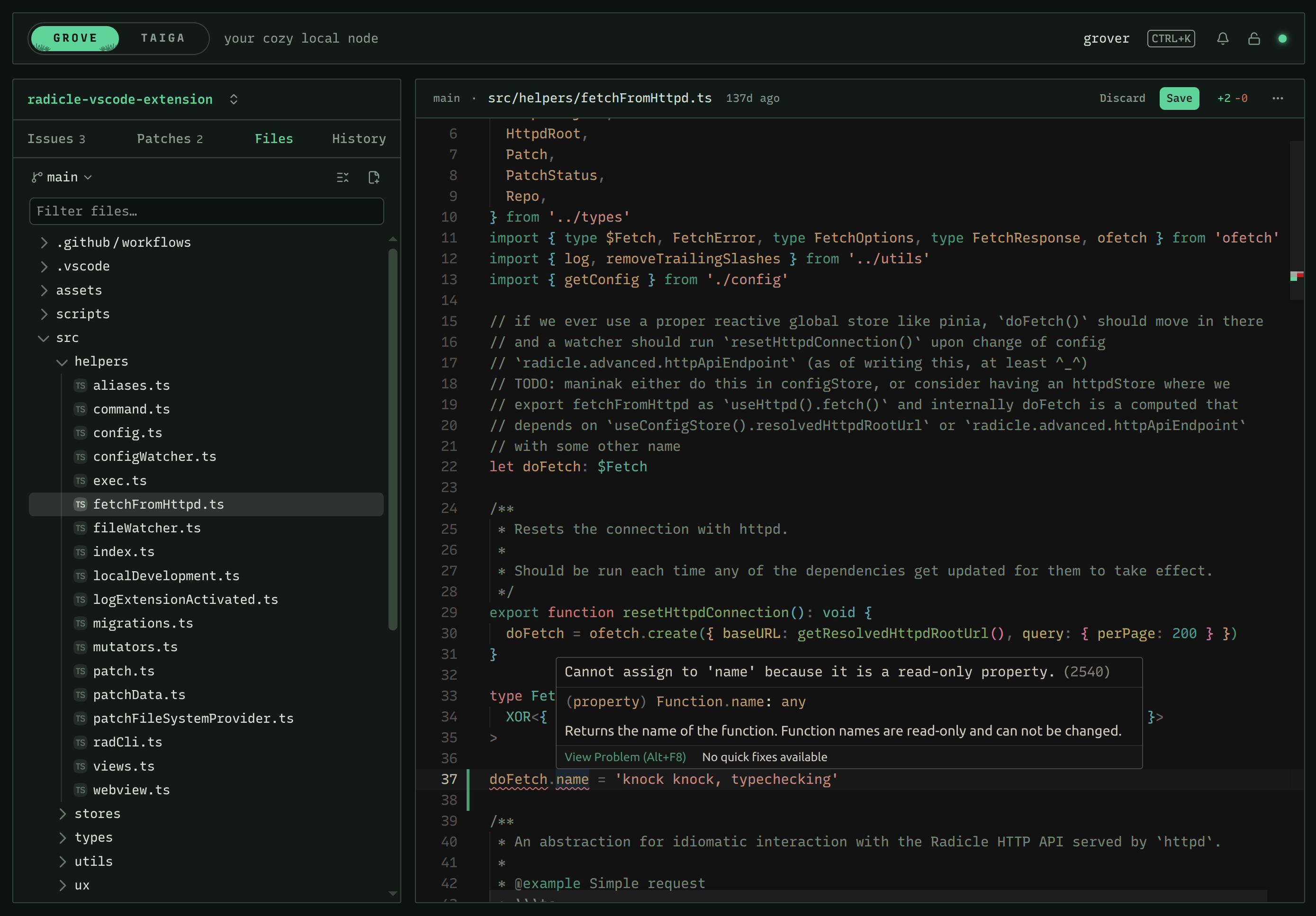
Type checking catches a bad edit before it's saved. 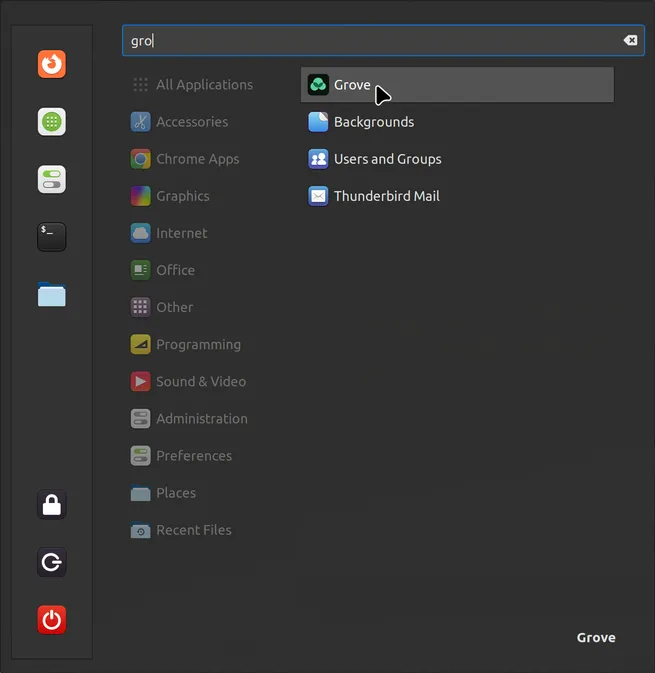
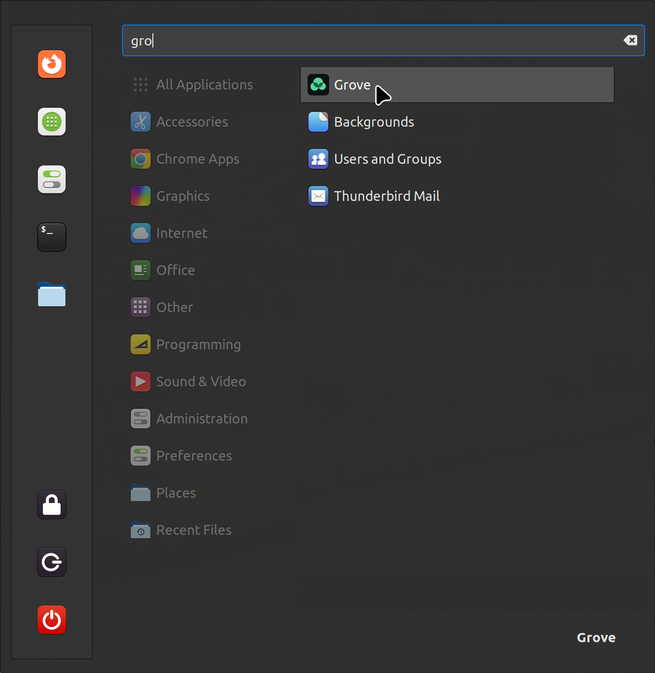
Installed straight from the browser, Grove sits in the app menu like any other app. 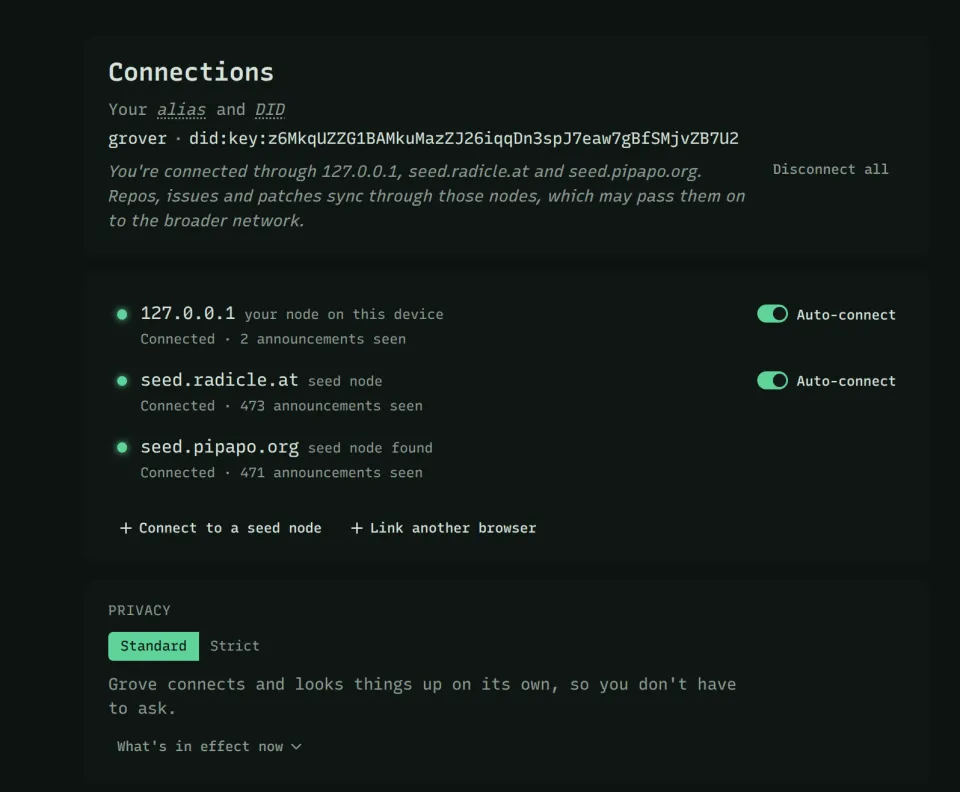
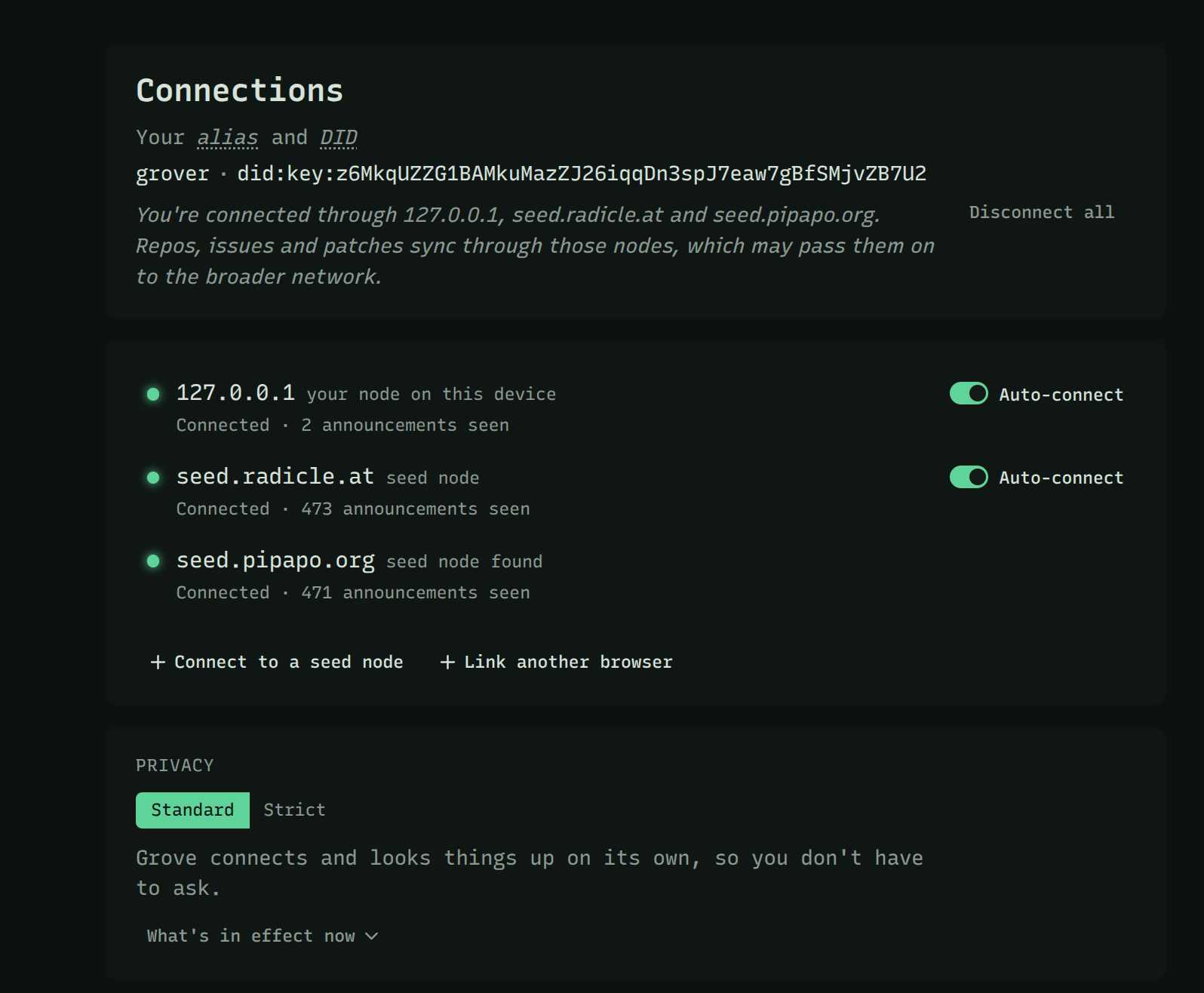
The Connections page, with every node Grove talks to and the privacy switch.
And a few from a phone.
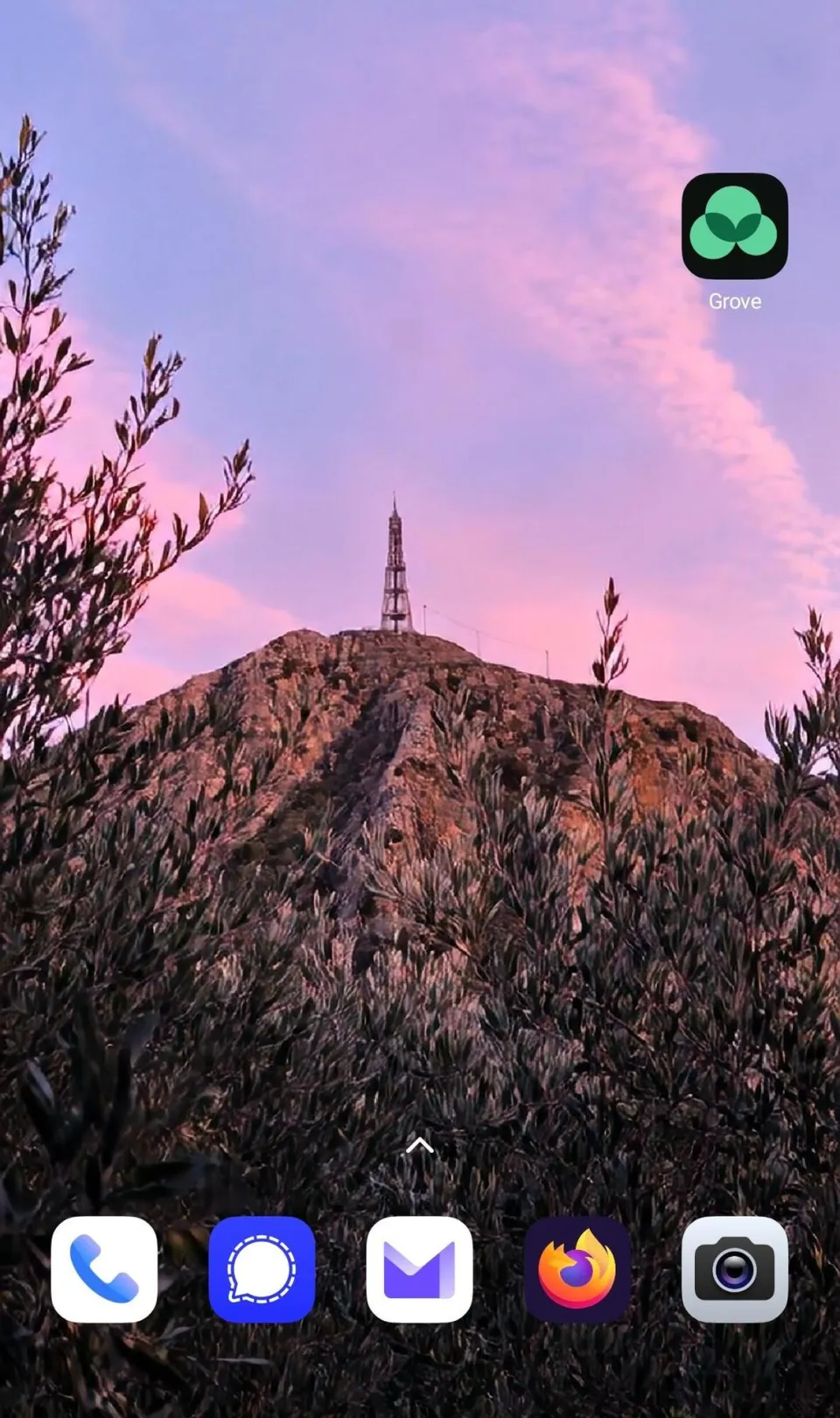
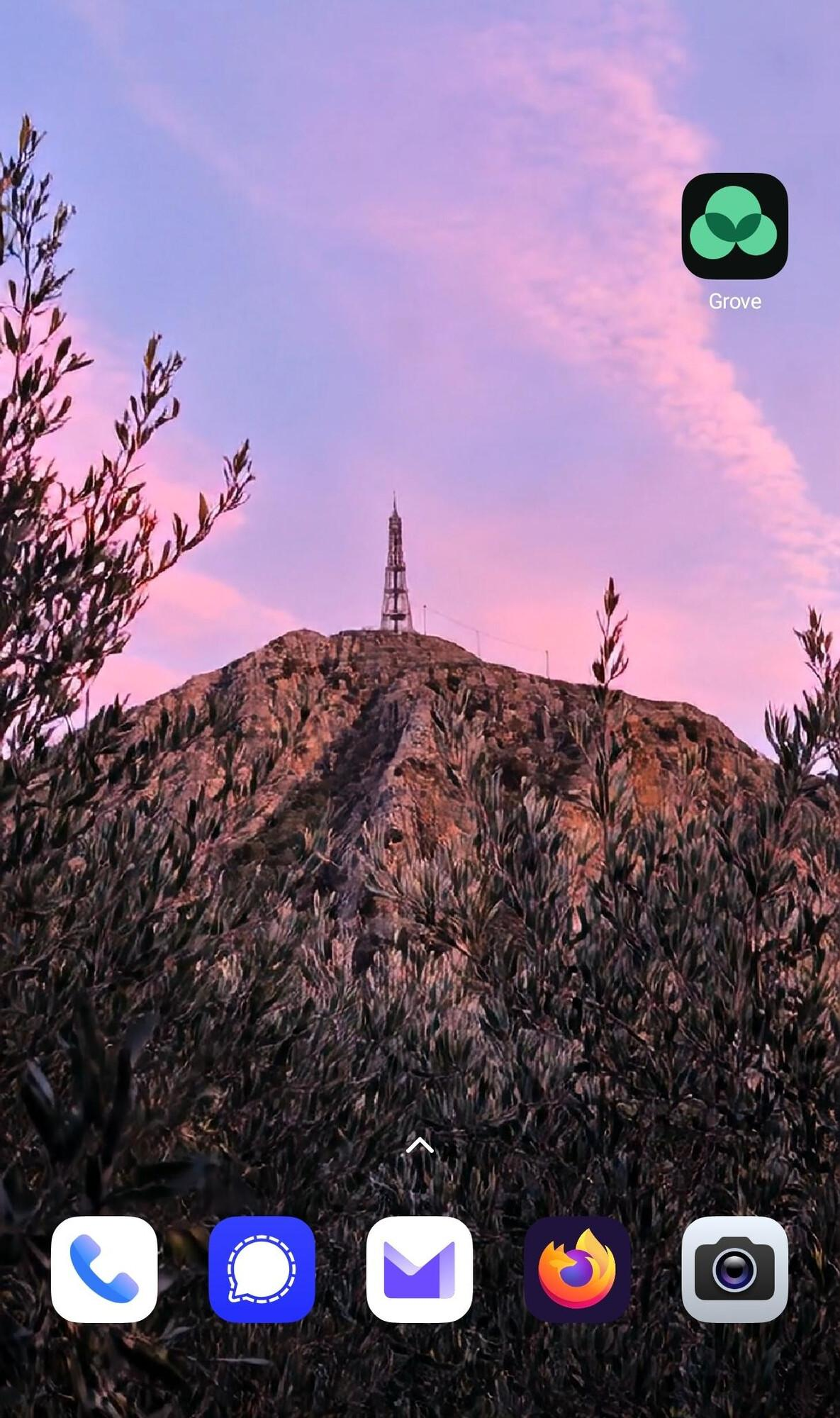
On a phone it lands on the home screen, no app store involved. 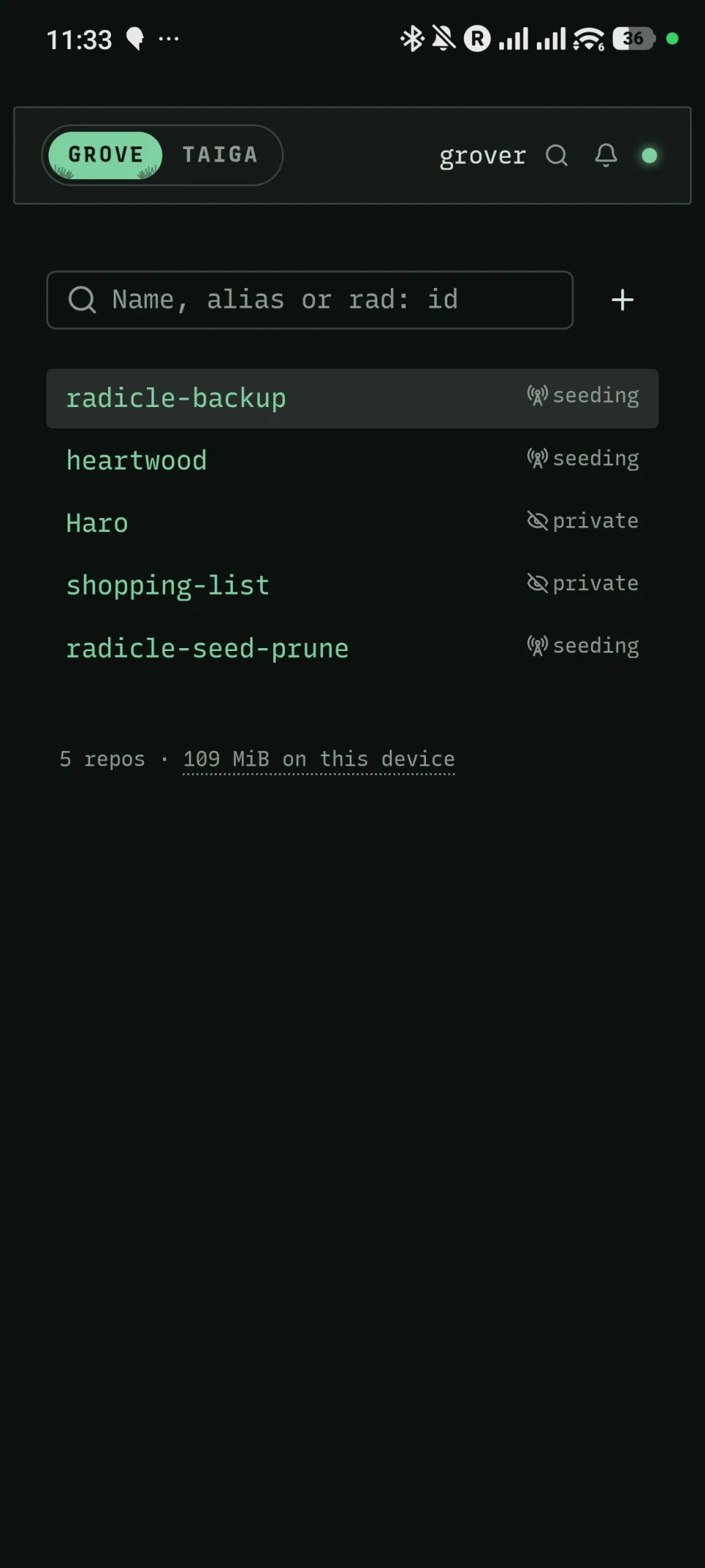
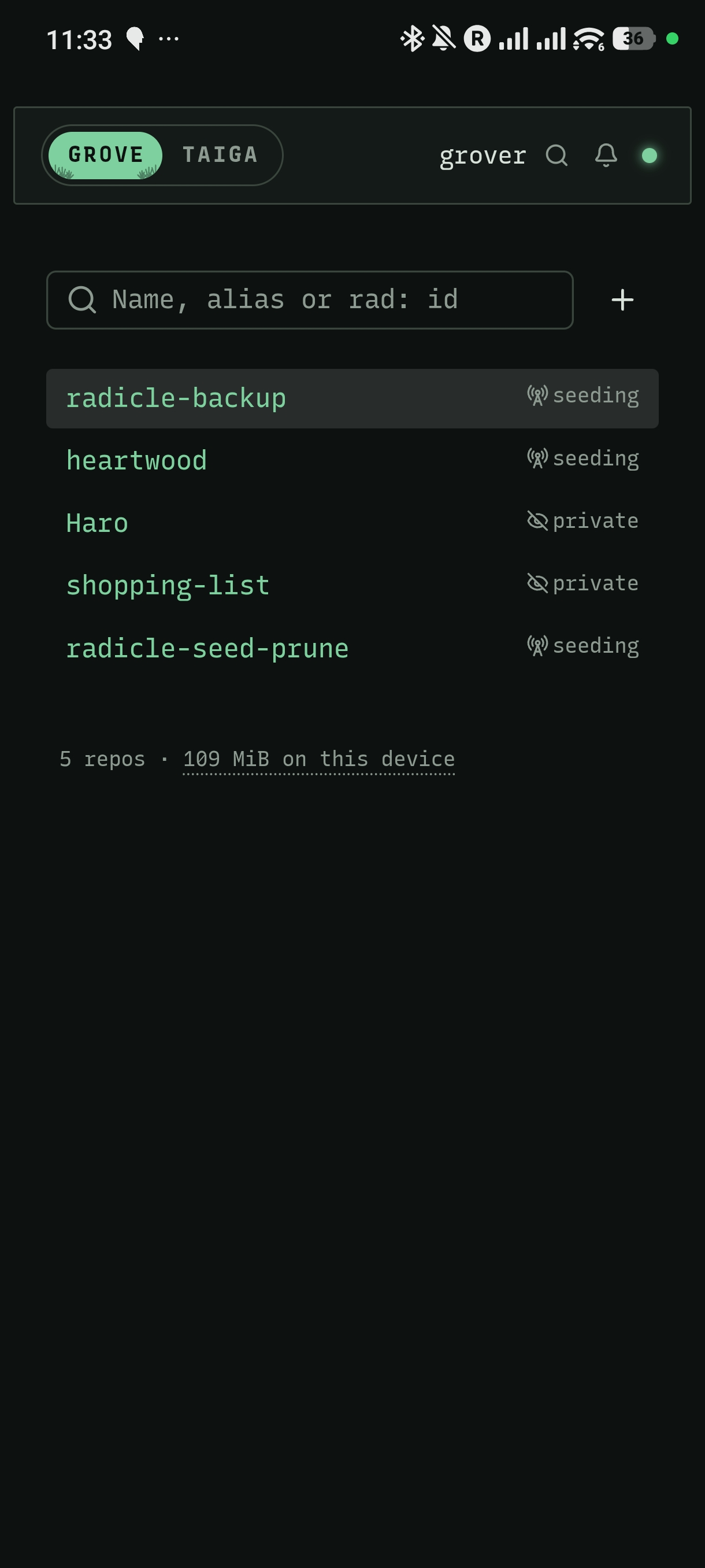
Every repo on this device, and the space they take. 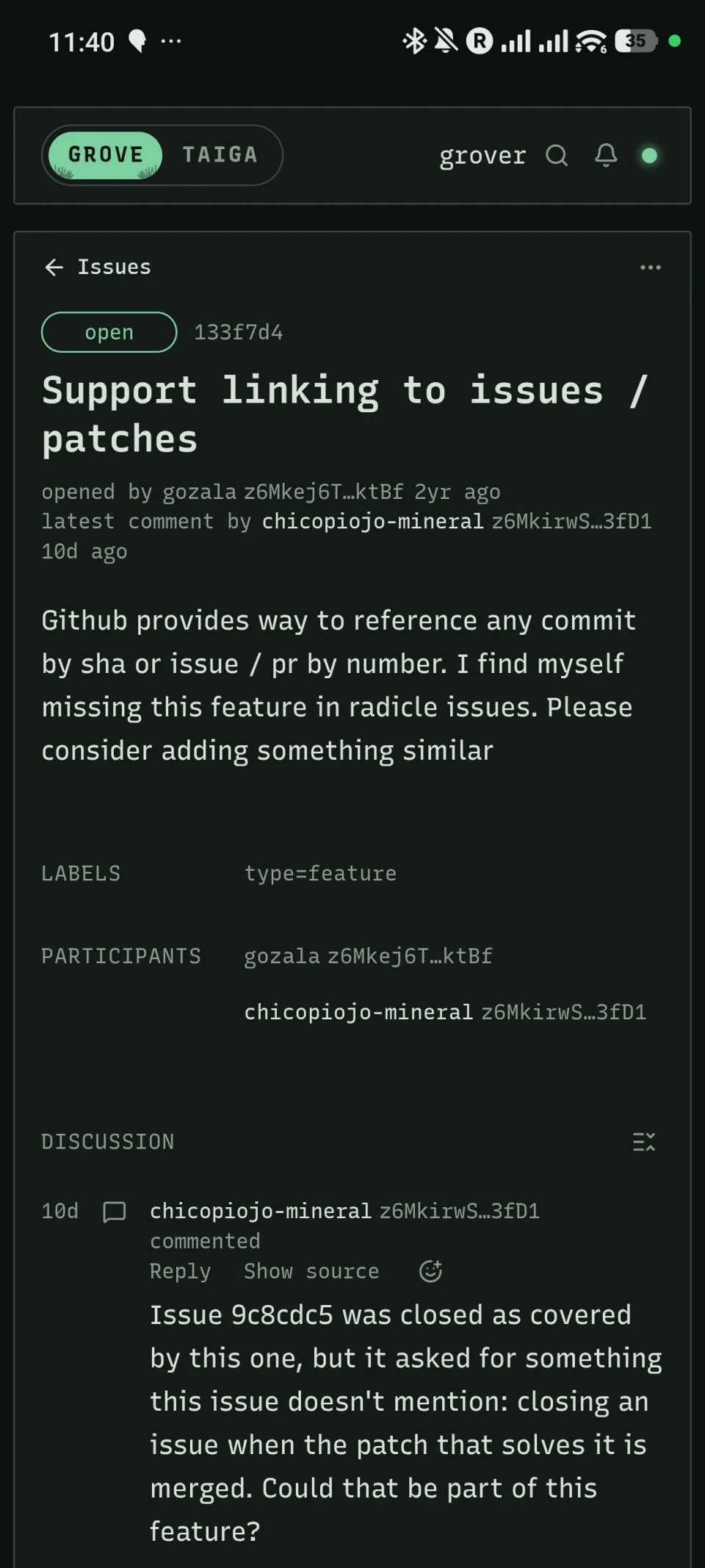
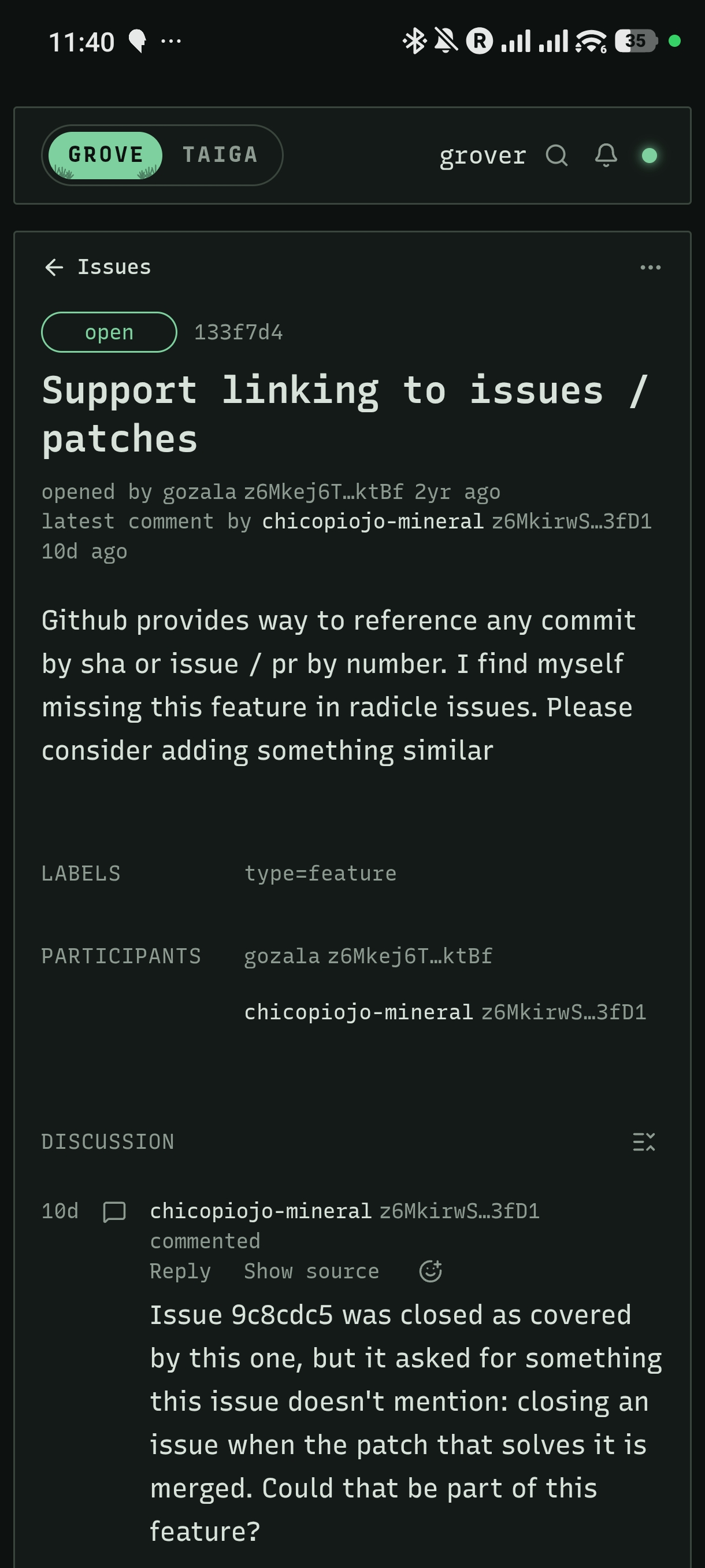
The issue, its label and its discussion, on one narrow screen. 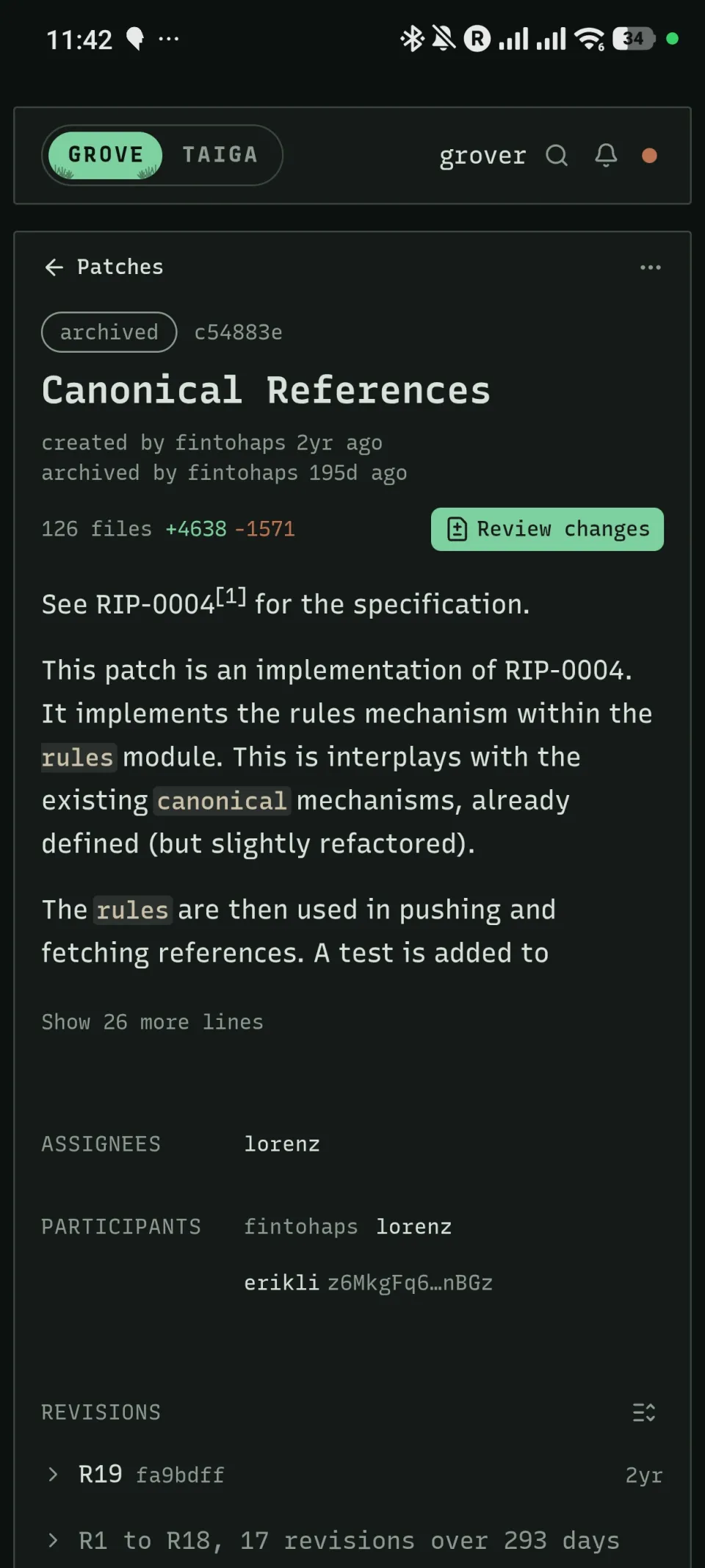
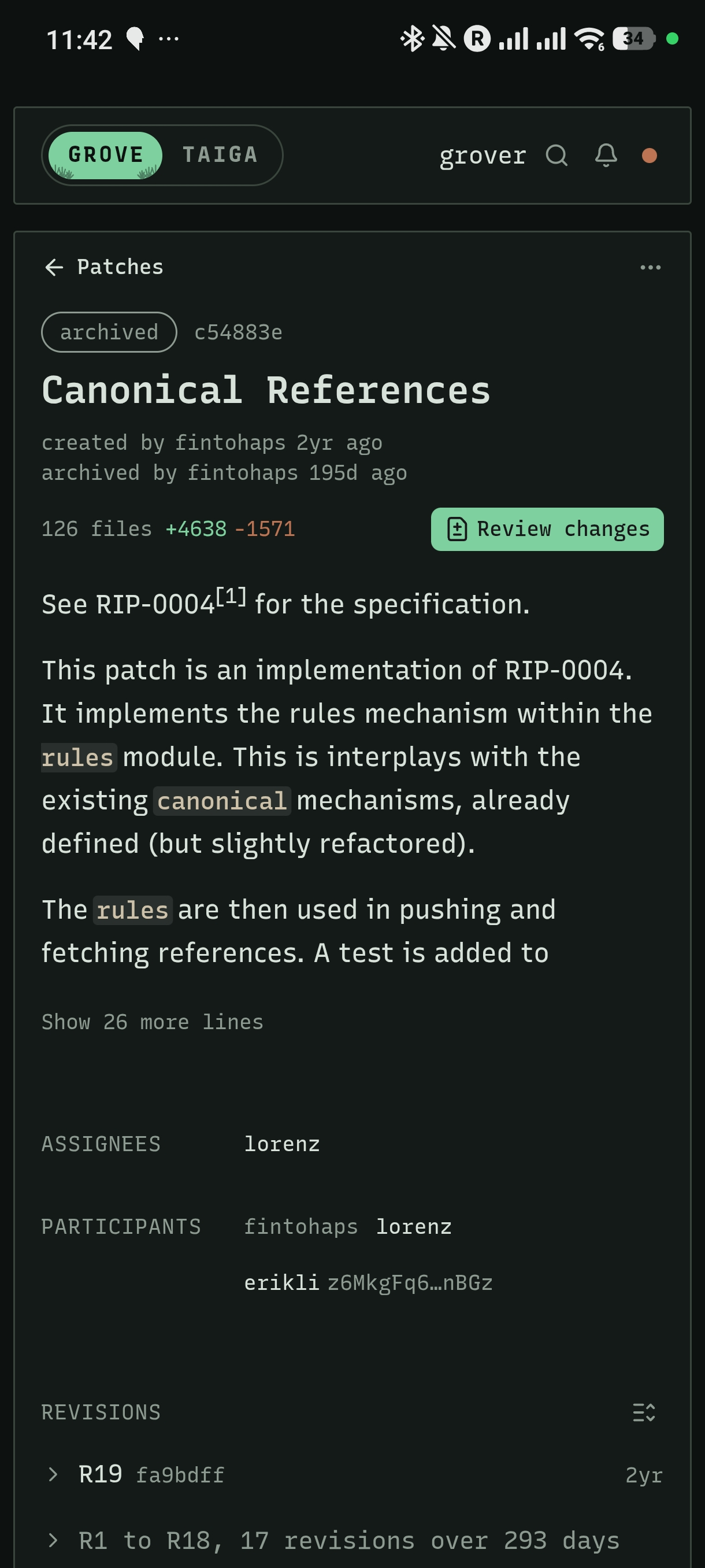
A patch with 126 changed files, from its description down to its revisions. 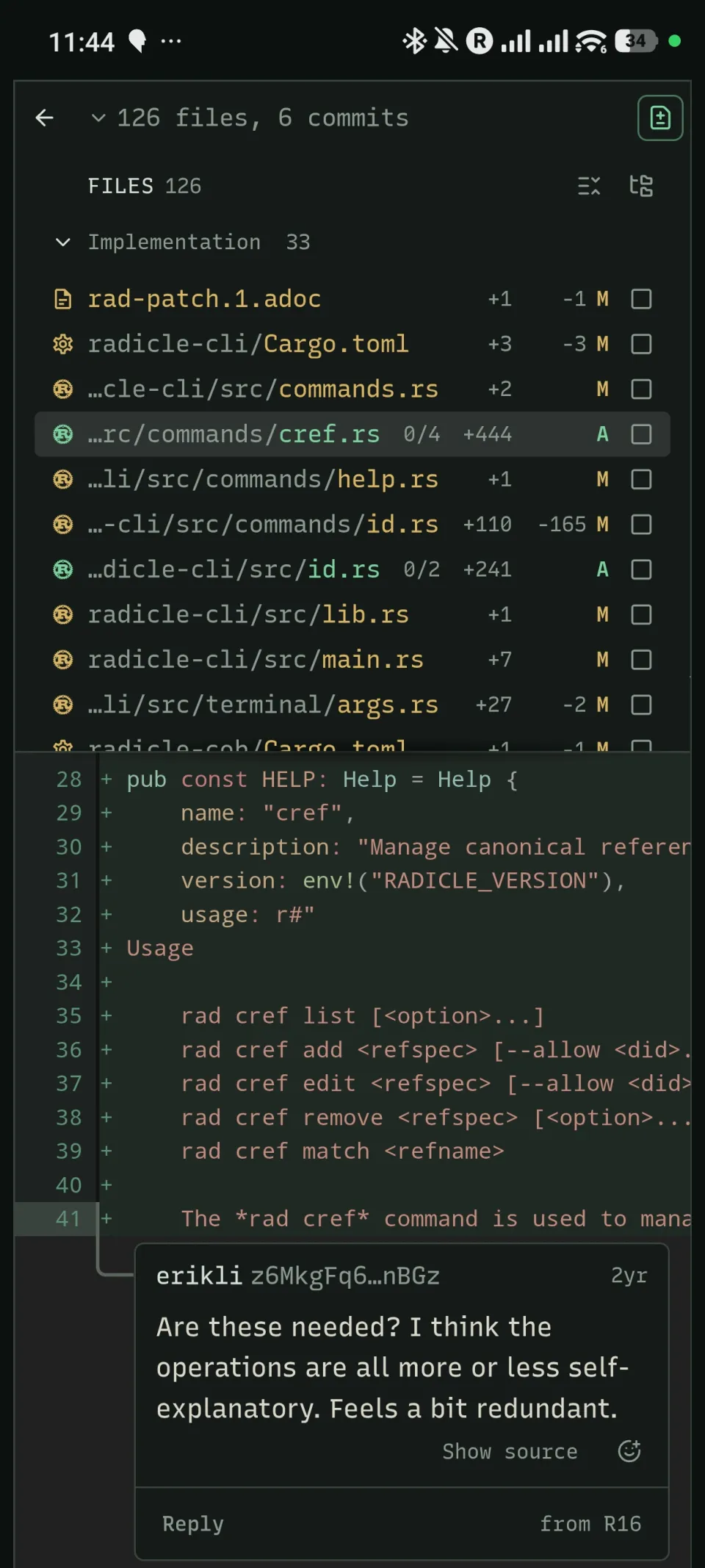
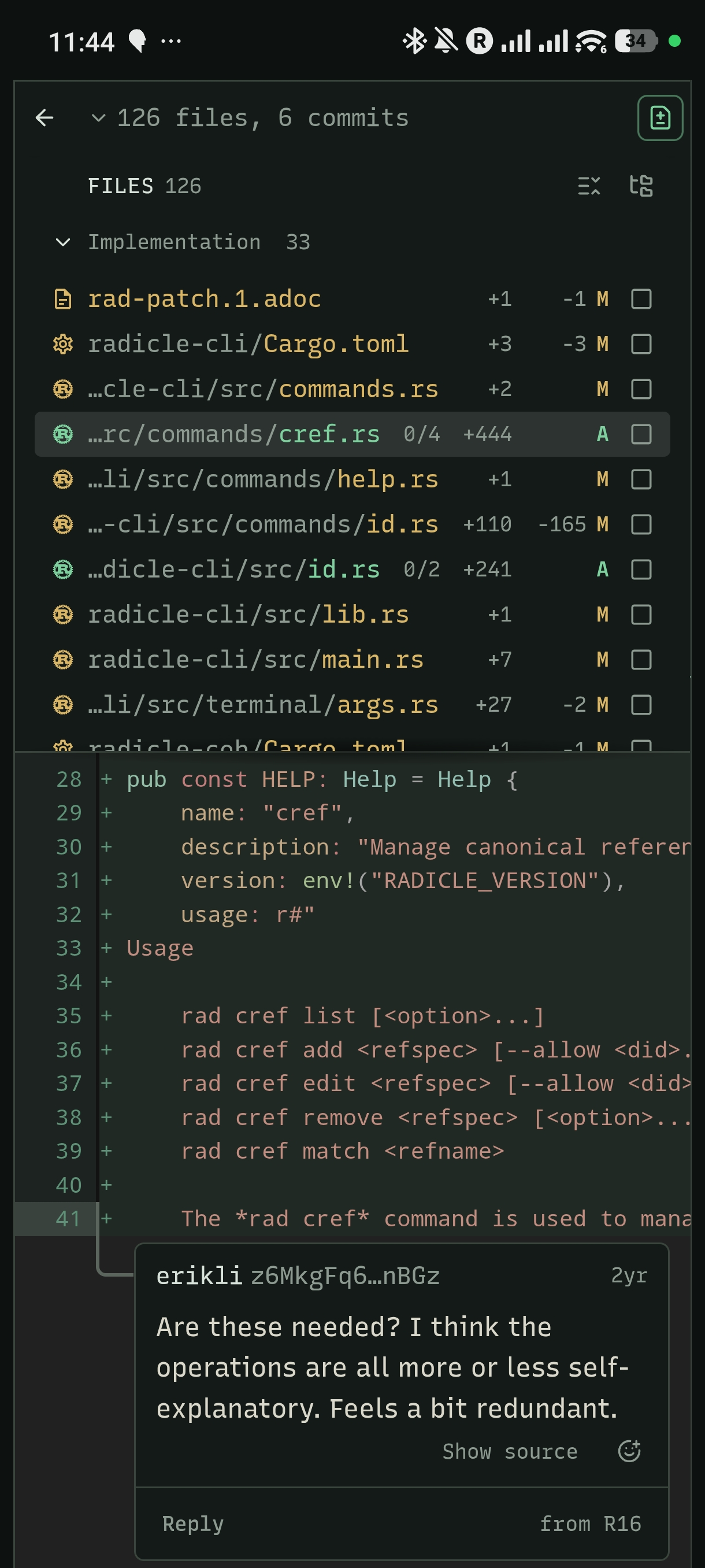
Reviewing a patch, comments right on the line they're about. 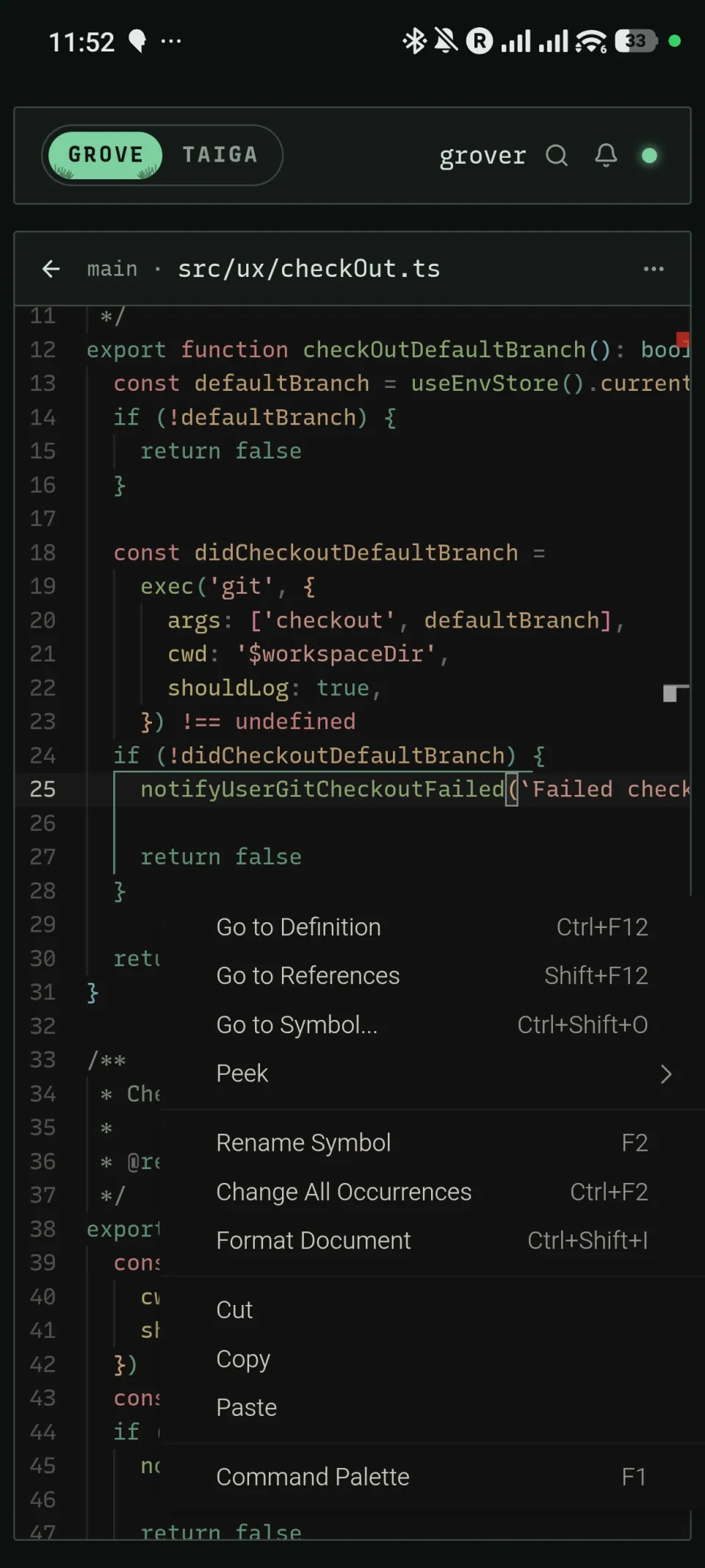
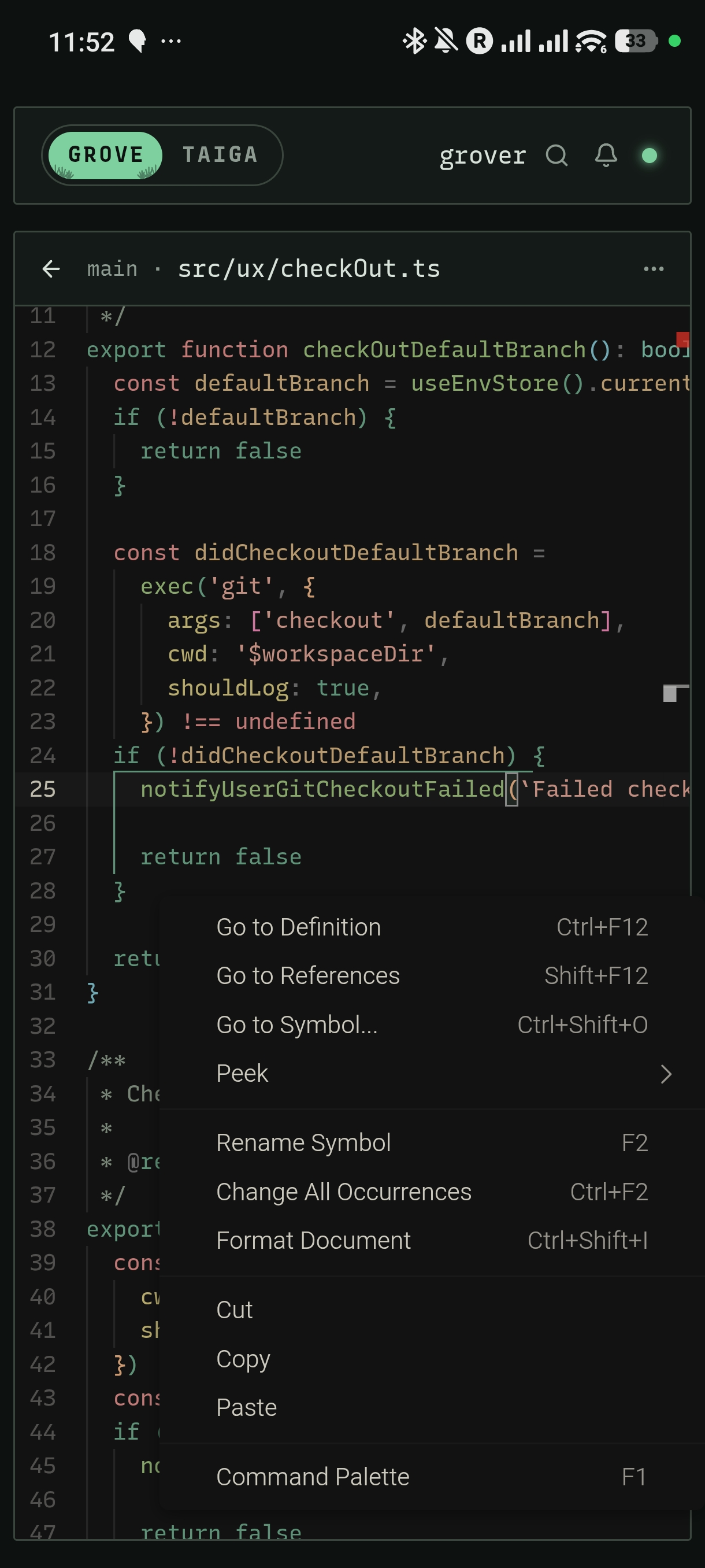
The same editor as on a desktop, Go to Definition and Rename Symbol included. 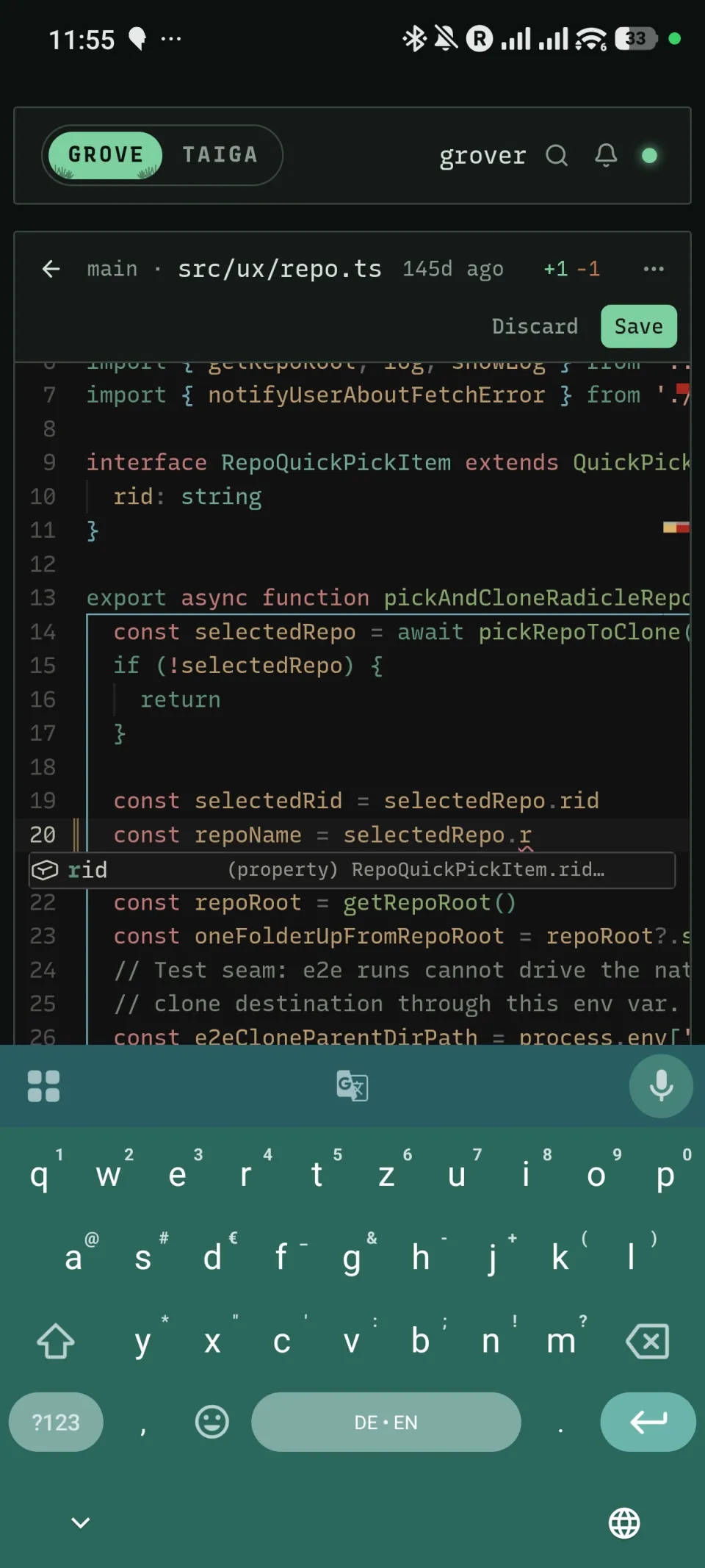
Auto-complete knows the types, on a touch keyboard too.
How Grove got built
I’m writing up the story, the challenges and wrong turns included, as a series called the Grove Build Log. Chapter 0 is about why I put a whole Radicle node in a browser tab in the first place.
Try it
Grove is a work in progress. Very soon I’ll start letting people try it in small batches, so I can keep up with the reports and give all testers the attention they deserve.
Join the early-access at radicle.tools/grove.
Grove is an independent community project slated to be open-sourced with an OSI-approved license after the early-access program ends.

All my FOSS efforts sure lack funding, but more than anything they lack reach, people knowing about Grove (and the rest of radicle.tools I’ve been building). I believe Grove has the kind of universal tech and frontend/Web cool factor that can rally people around it and through it bring them to Radicle itself. So please do share this post, if you think it’s cool, and talk about Grove, it helps so much! And if you want to financially support me too, here’s how.
Any and all kinds of feedback are precious and I read all of it with consideration. Spam me as much as you feel like it. If something is on your mind in regards to my work, I wanna know about it. :)
The videos are screen recordings in real browsers, trimmed and sped up in places. Music (edited to fit): “Phalanx” and “Staten Park” by Sabrepulse, CC BY-NC 4.0.
Replies, none yet
A selection from this post's inbox, quoted by hand. The words are their writers' own.
Send me your comments on social media or by email to maninak@pm.me. Those replies may show up here (unless you request against it).